
Introduction
Congratulations, the finish line is in sight!
The final step is adding your credit card information to keep your account up and running.
Table of Contents
Setting Up Your Subscription Billing
Overview Video
Step by Step
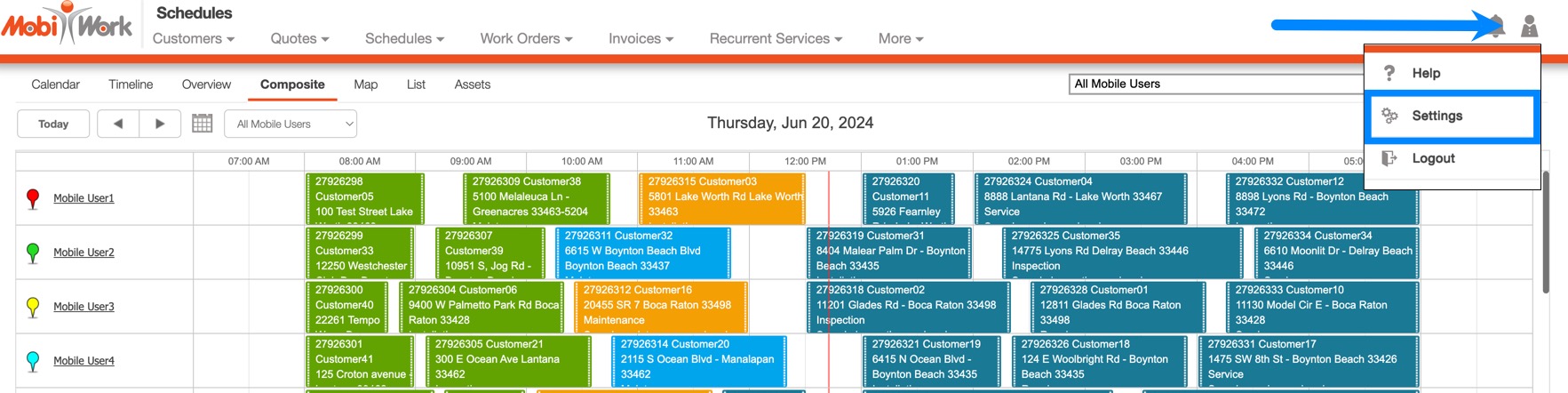
- In the top right corner of your screen, from your User Actions menu drop-down, choose Settings.
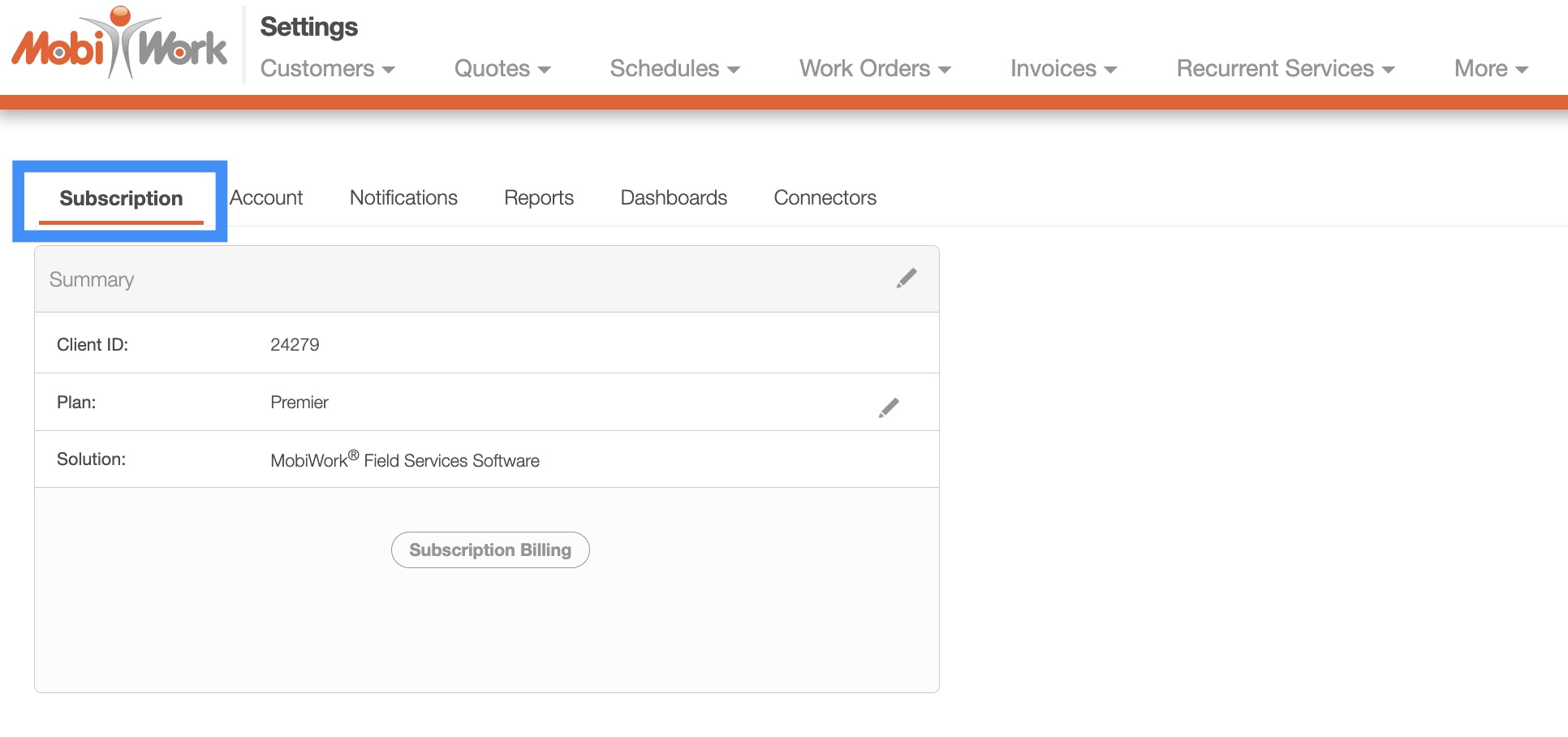
- On the Settings page click on the "Subscription" tab:
- Once you are on the "Subscription" tab, click on the Subscription Billing button:
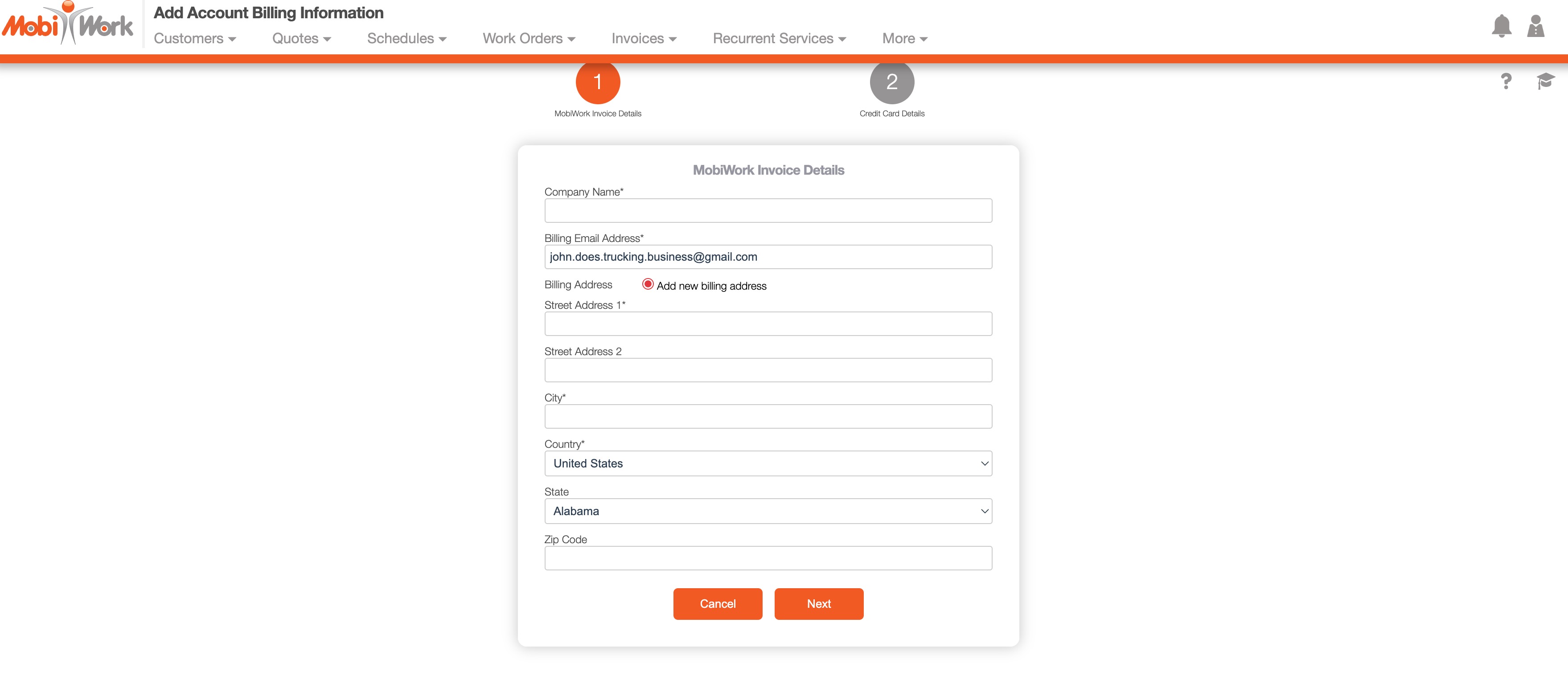
- Fill out the required information, then click Next.
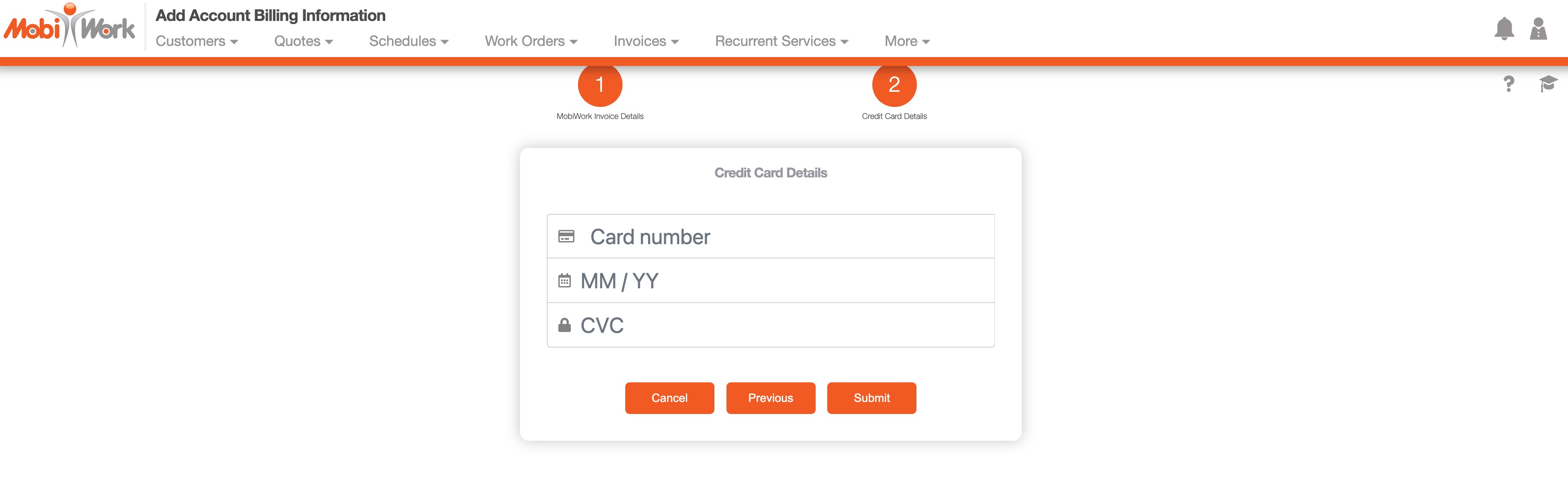
- Under Credit Card Details, enter your Card number, expiration date (in MM/YY format), and security code (CVC).
- When finished, choose Submit.

CONGRATULATIONS!
You've now completed all our onboarding steps and you are now officially ready to MobiWork!
When you need us, we'll be here for you:
- Create a Support Ticket
- Call us at +1-888-MOBIWRK (+1-888-662-4975).
- Email us:
- Email the Customer Support Team at support@mobiwork.com.
- Email the Customer Success Team at success@mobiwork.com.
- Email the Billing/Accounting Department at accounting@mobiwork.com.
- Email the Sales Team at sales@mobiwork.com.