
The Last Known Locations feature allows you to view the most recent locations of your users and contractors based on device heartbeats and GPS data captured from their mobile devices. Whenever a user or contractor logs in to the MobiWork mobile app, their most recent GPS coordinates are recorded and displayed within this feature.
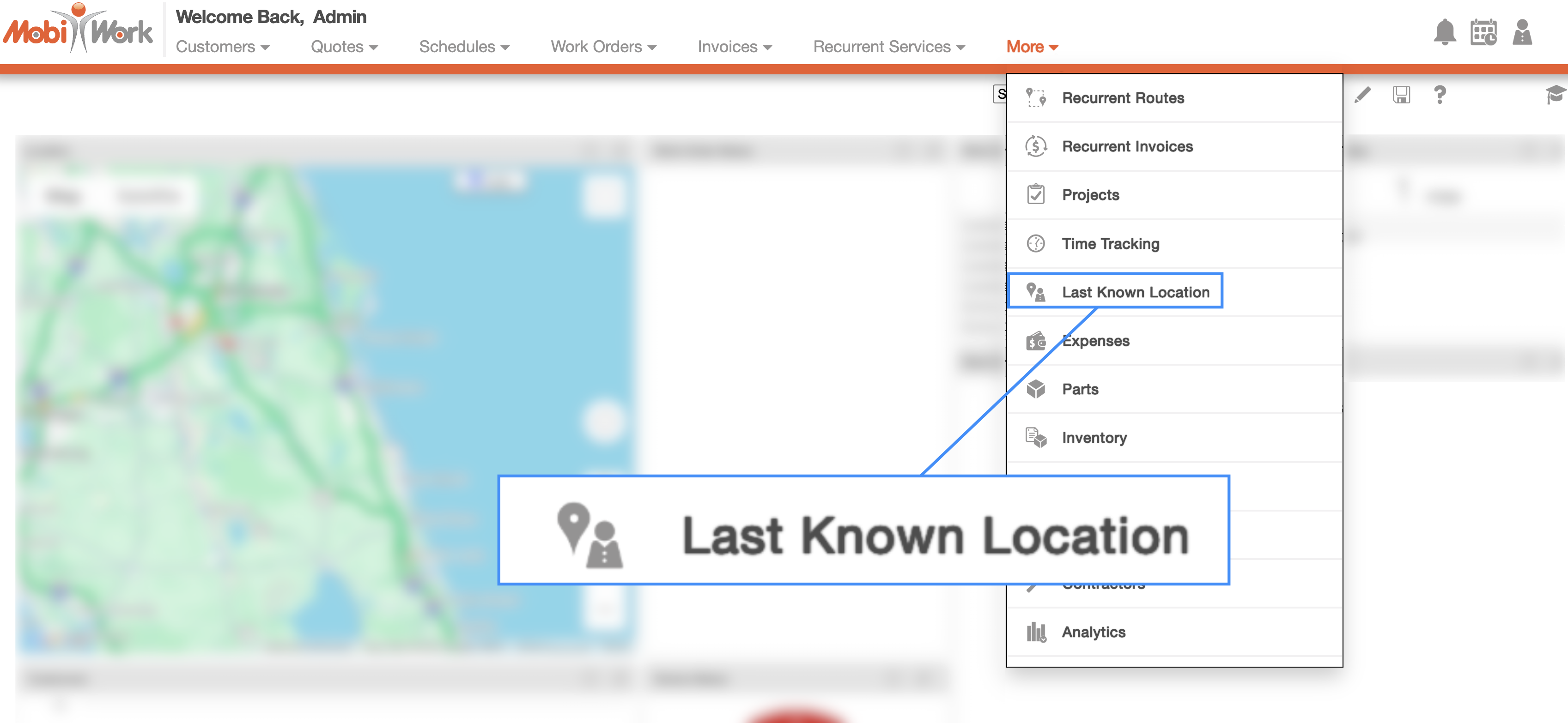
To access this feature, select Last Known Locations option from the More drop-down menu:
You will then be redirected to the Last Known Locations. On the left-hand side of the page, you will see a list of active users and contractors, each accompanied by a numbered truck icon. These numbered icons correspond to the markers displayed on the map, making it easy to identify and locate specific personnel:
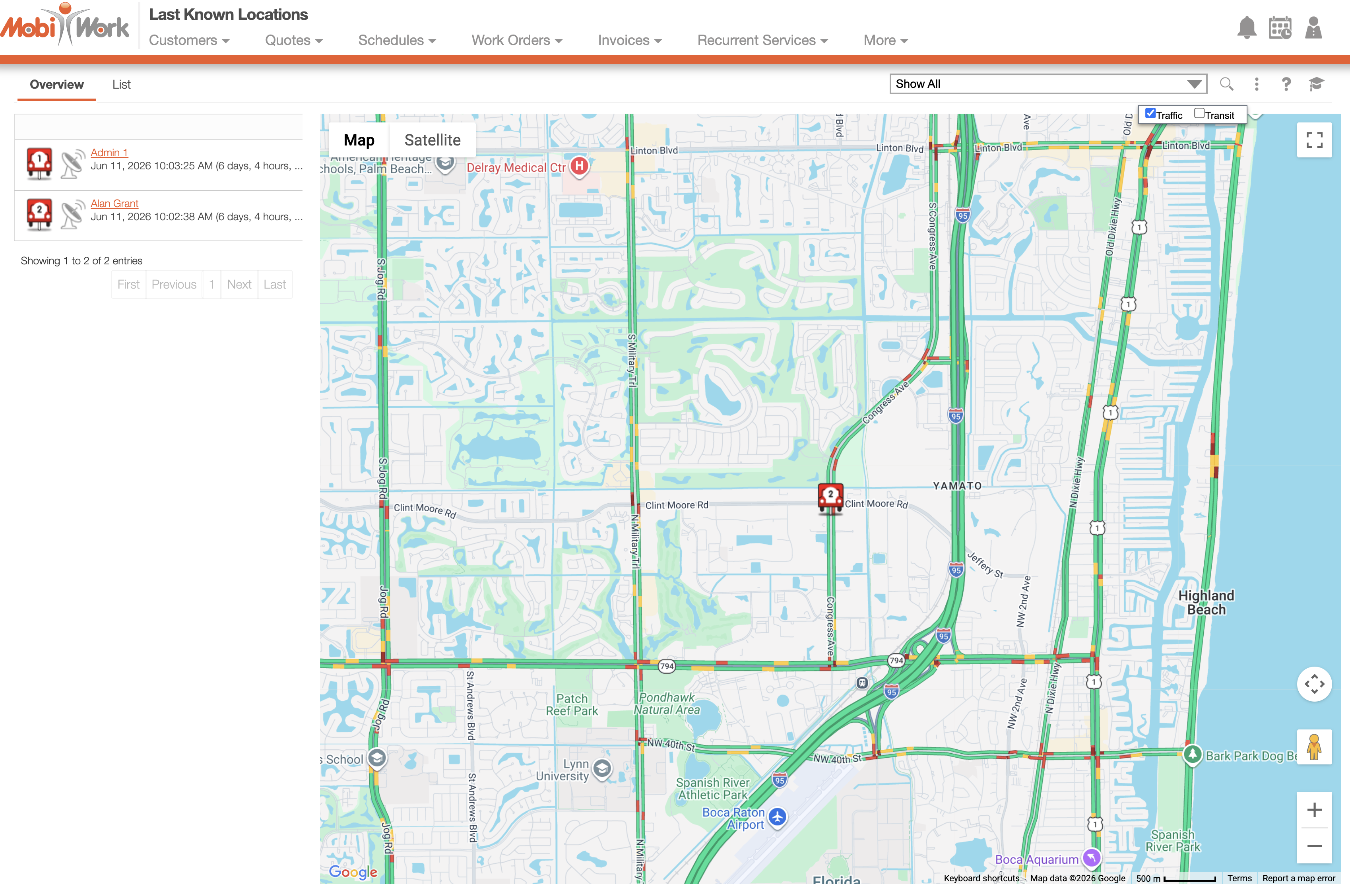
By selecting a truck icon, you can view the following information:
The name of the user or contractor
The date and time of their last login
The GPS coordinates of their last recorded location
The "Overview" tab displays an interactive map that provides a visual representation of the last known locations of your users and contractors, allowing you to quickly determine where your field personnel were most recently active.
This feature provides increased visibility into your mobile workforce, helping dispatchers and managers monitor field activity, verify technician locations, and make more informed scheduling and dispatching decisions.
Each truck icon has a specific color that indicates the current status:
Green- Indicates the current location; this location was updated within the last 90 minutes.
Yellow- Indicates the recent location; in other words, the location was updated more than 90 minutes ago but within the last 24 hours.
Red-- Indicates that the location is old and was updated more than 24 hours ago.