
App Crashing for Android or Google Pixel
If you are attempting to log on to MobiWork from either a Google Pixel device or an Android device and the app flashes and then subsequently crashes, please follow the instructions below:
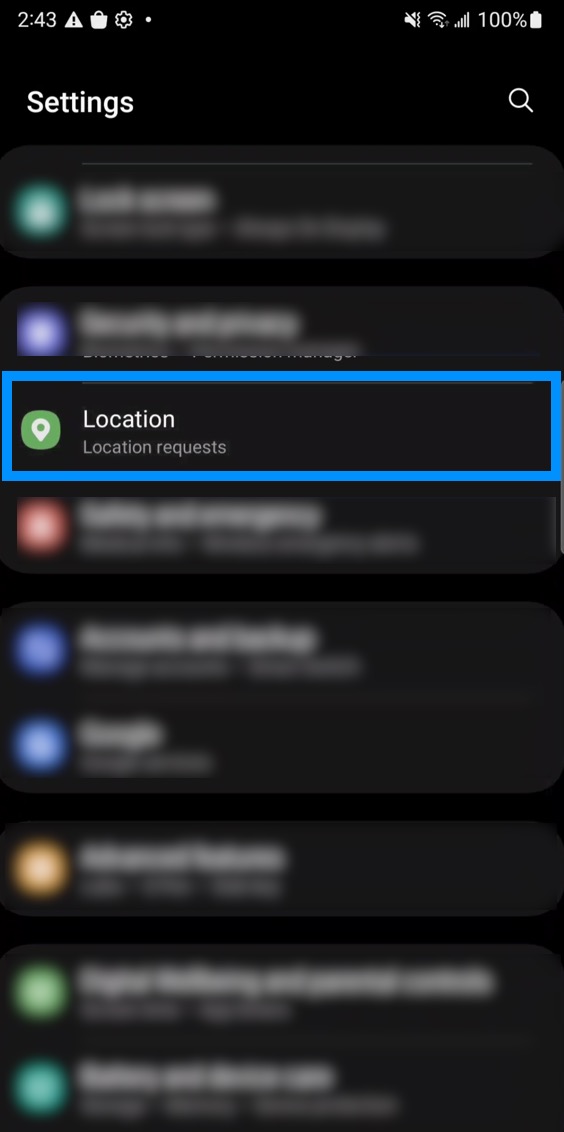
Access your device's "Settings" page.
Scroll down and select the "Location" settings:
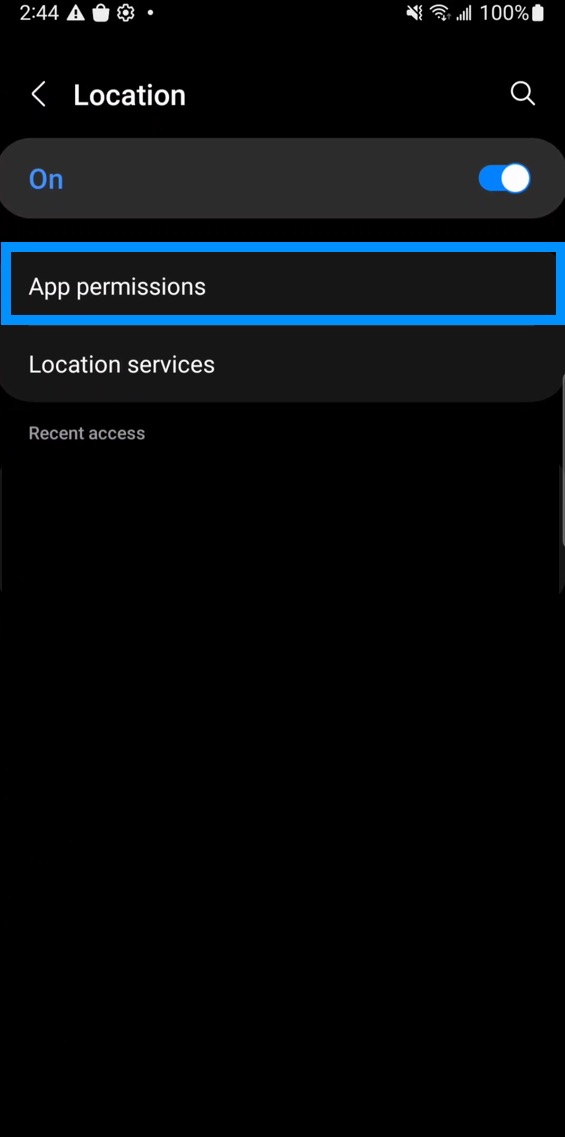
Click on the "App Permissions" selection:
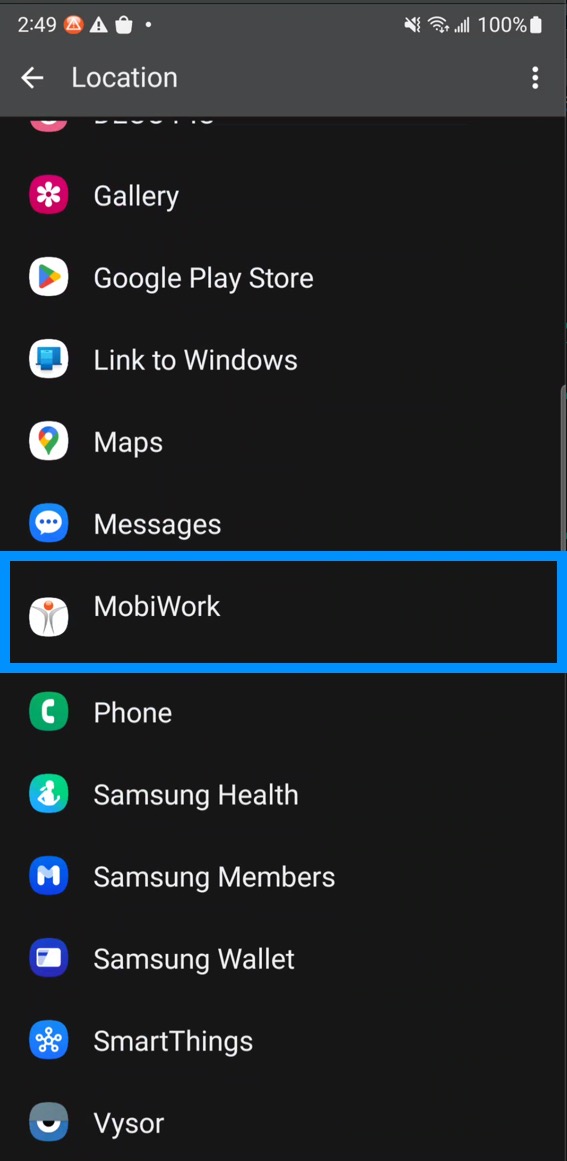
Locate MobiWork within the list of apps:
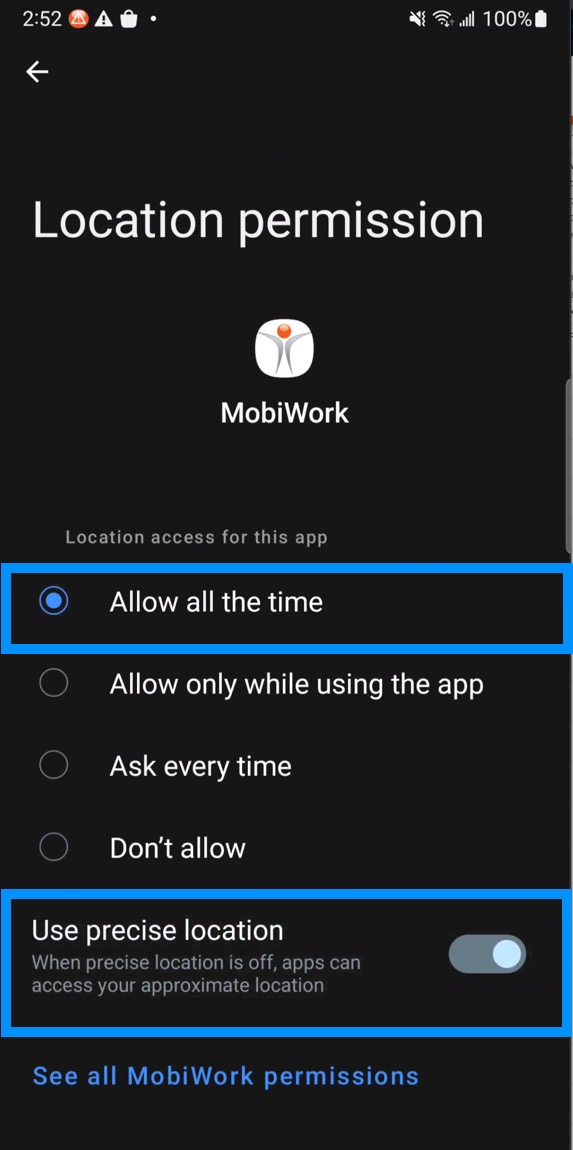
Once you are on "Location Permission" page, please change permissions to "Allow all the time" and toggle the "Use Precise Location" switch to on:
Note: The "Location" permission dialog does not automatically appear on Google Pixel devices.