
To send reminders to your users, you must first be on the Customers feature page. For more information on how to access this page, please see the Customers List page.
- Note: Please note that if a customer already has a reminder, the "Add Reminder" option will be replaced with the "Edit Reminder" option. If a customer does not have a reminder, then the "Add Reminder" option will appear.
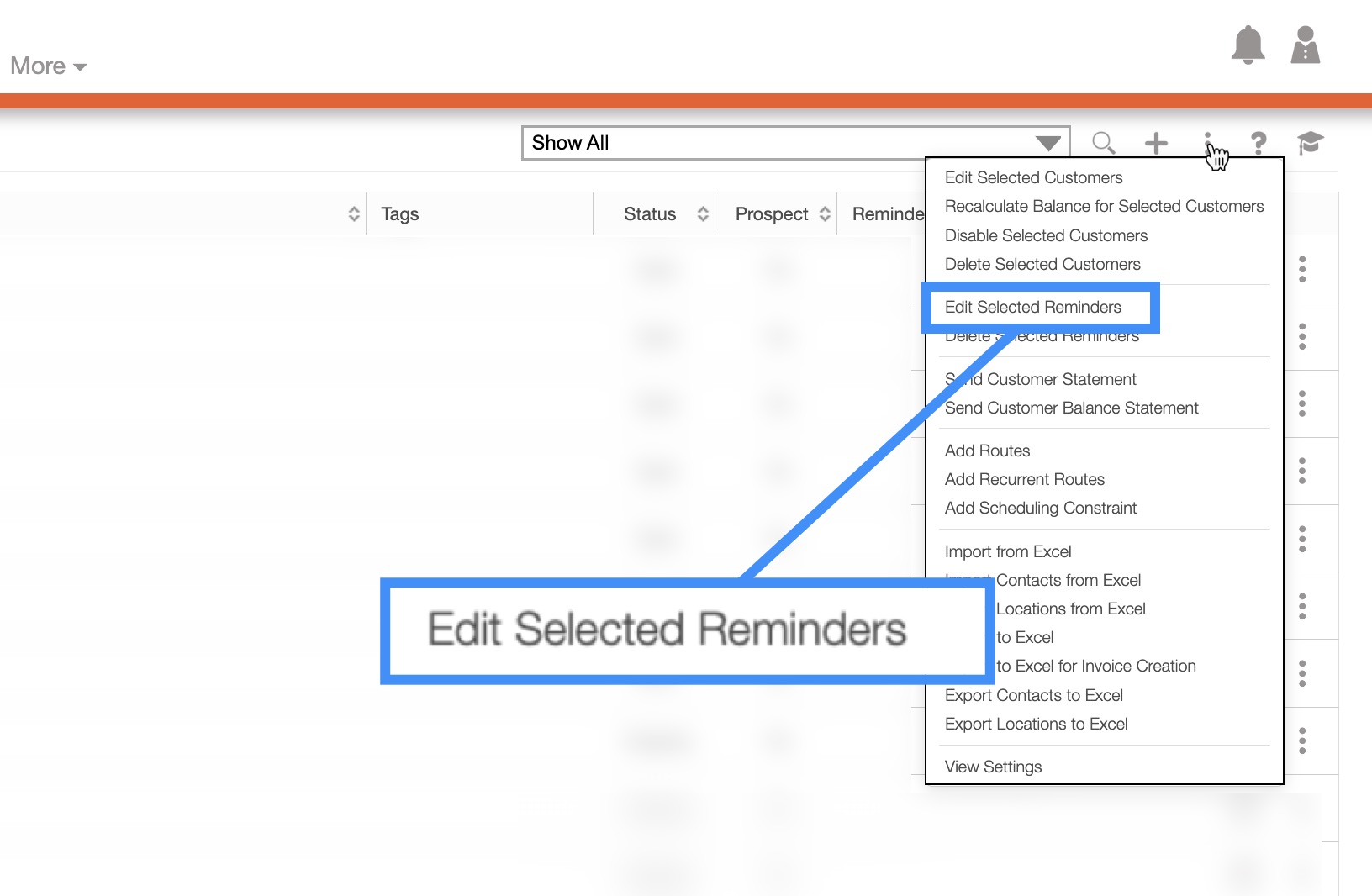
Once you are the Customers feature page, click on the More Actions button to edit or delete reminders assigned to your customers:
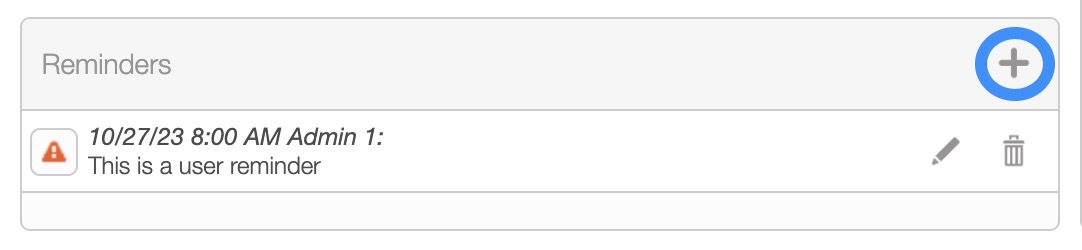
Select the desired Customer ID and once the View Customer pop-up window appears, click on the Plus Sign button from the "Reminders" column:
You can also edit any existing reminders that have been added by clicking the Pencil button.
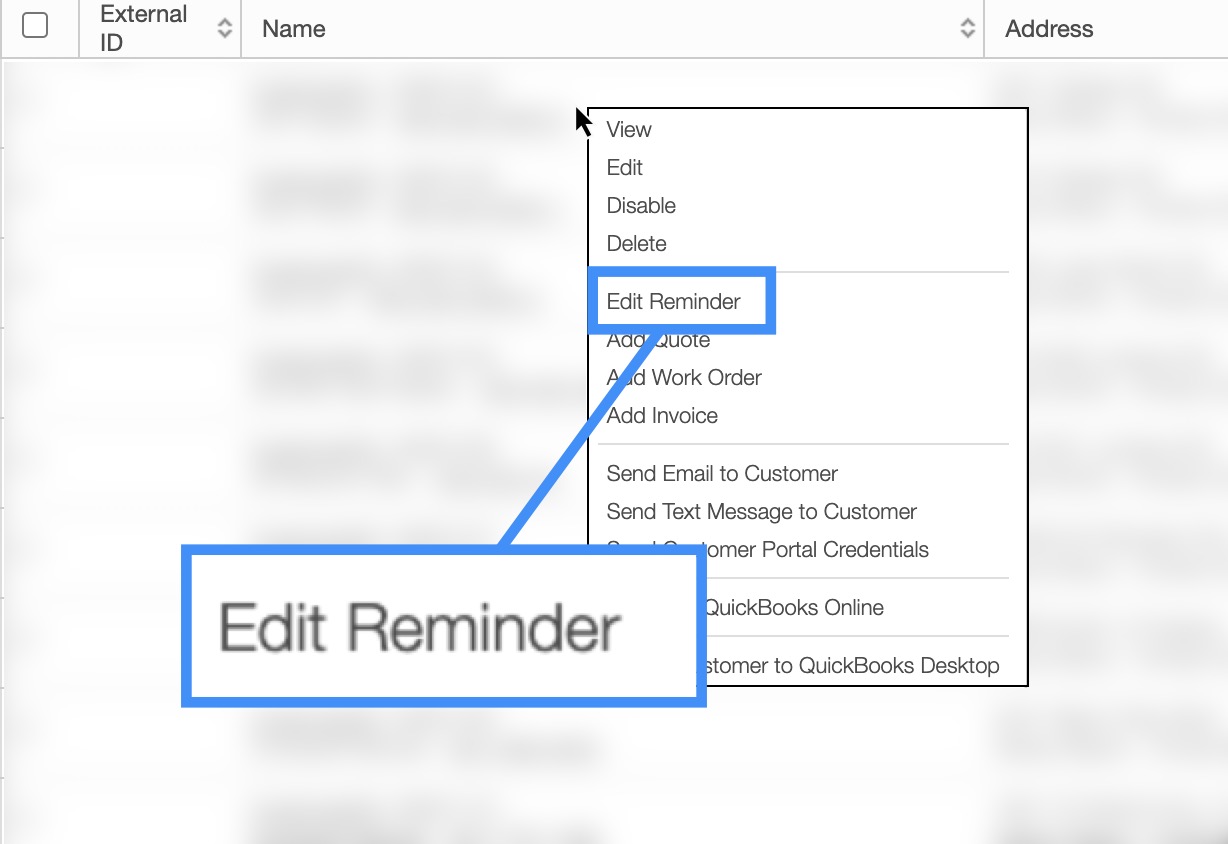
Right-click on the selected customer and choose on the "Edit Reminder" option from the drop-down.
By clicking on the More Actions button you can edit reminders for multiple users ("Edit Selected Reminders" option).
By clicking on the More Actions button you can delete multiple reminders ("Delete Selected Reminders" option).
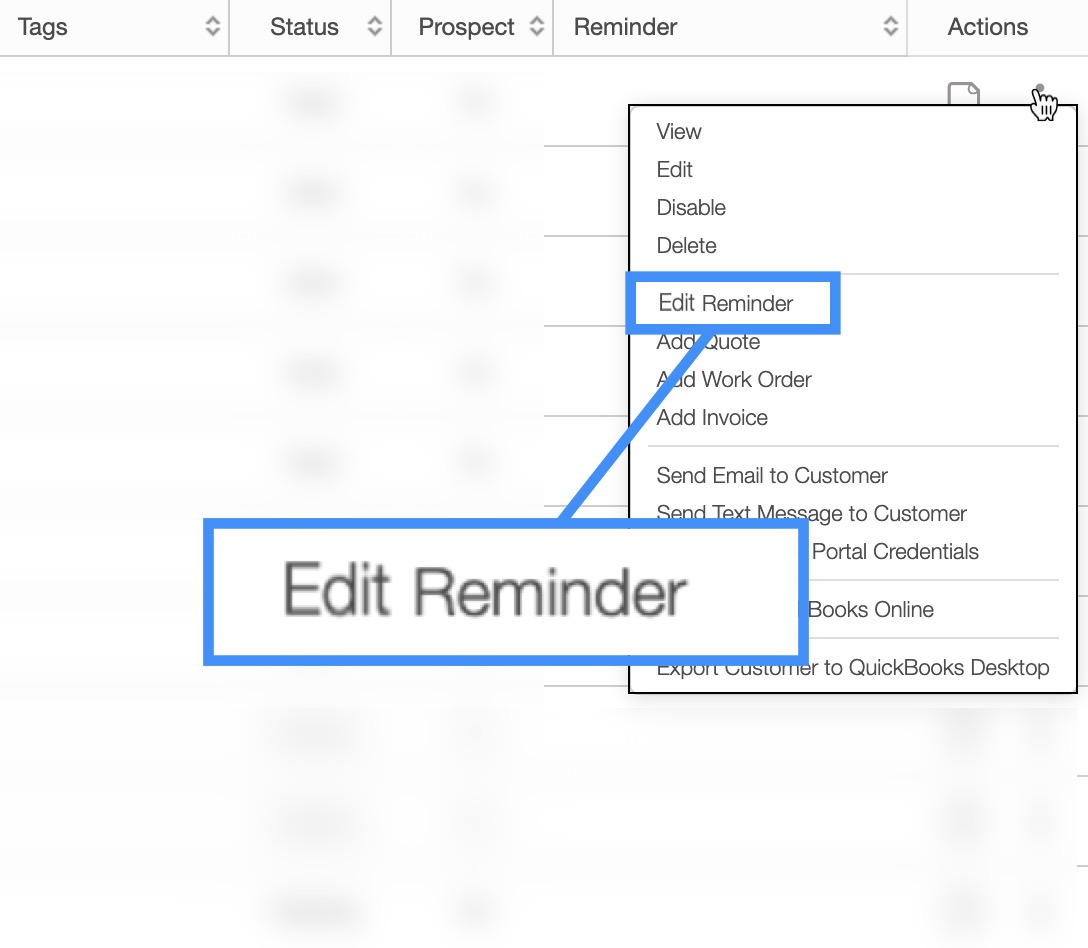
Click on the Individual Actions button and from the drop-down choose the "Edit Reminder" option.
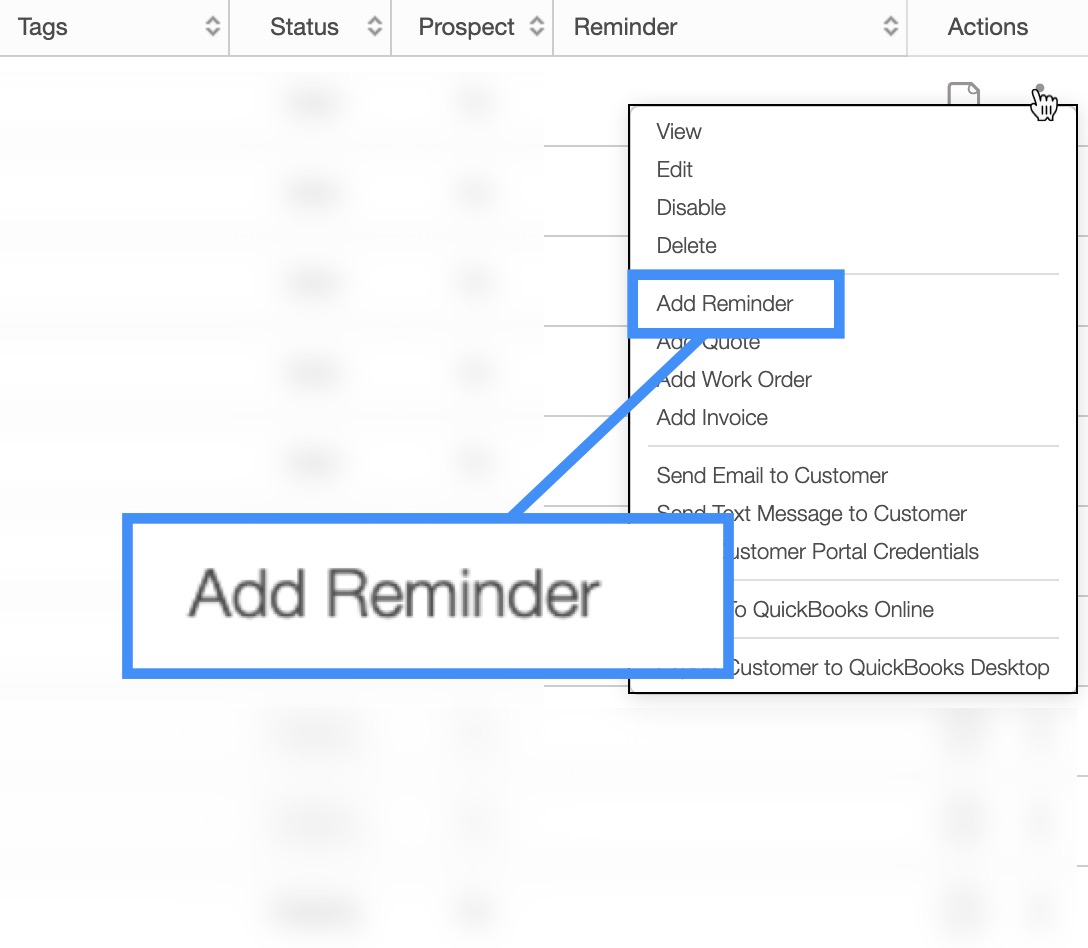
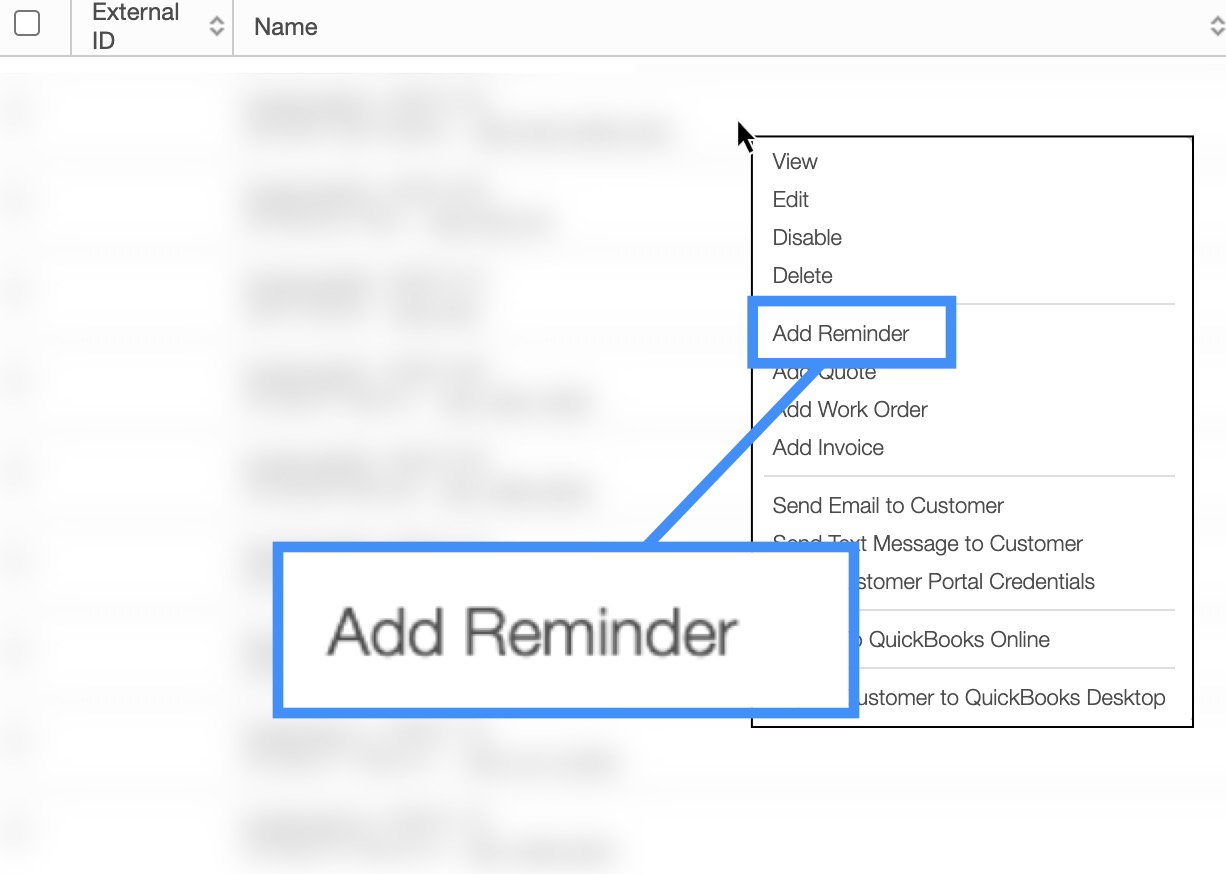
There are three different ways to add a reminder to a customer's profile:
Clicking on the Plus Sign button in the "Reminders" section from the View Customer pop-up window:
Using the right-click feature and selecting the "Add Reminder" option from the drop-down:
Or clicking on the Individual Actions on the Customers Section and selecting the "Add Reminder" option from the drop-down:
Once you click on the Add Reminder button the Add Reminder pop-up window will appear:
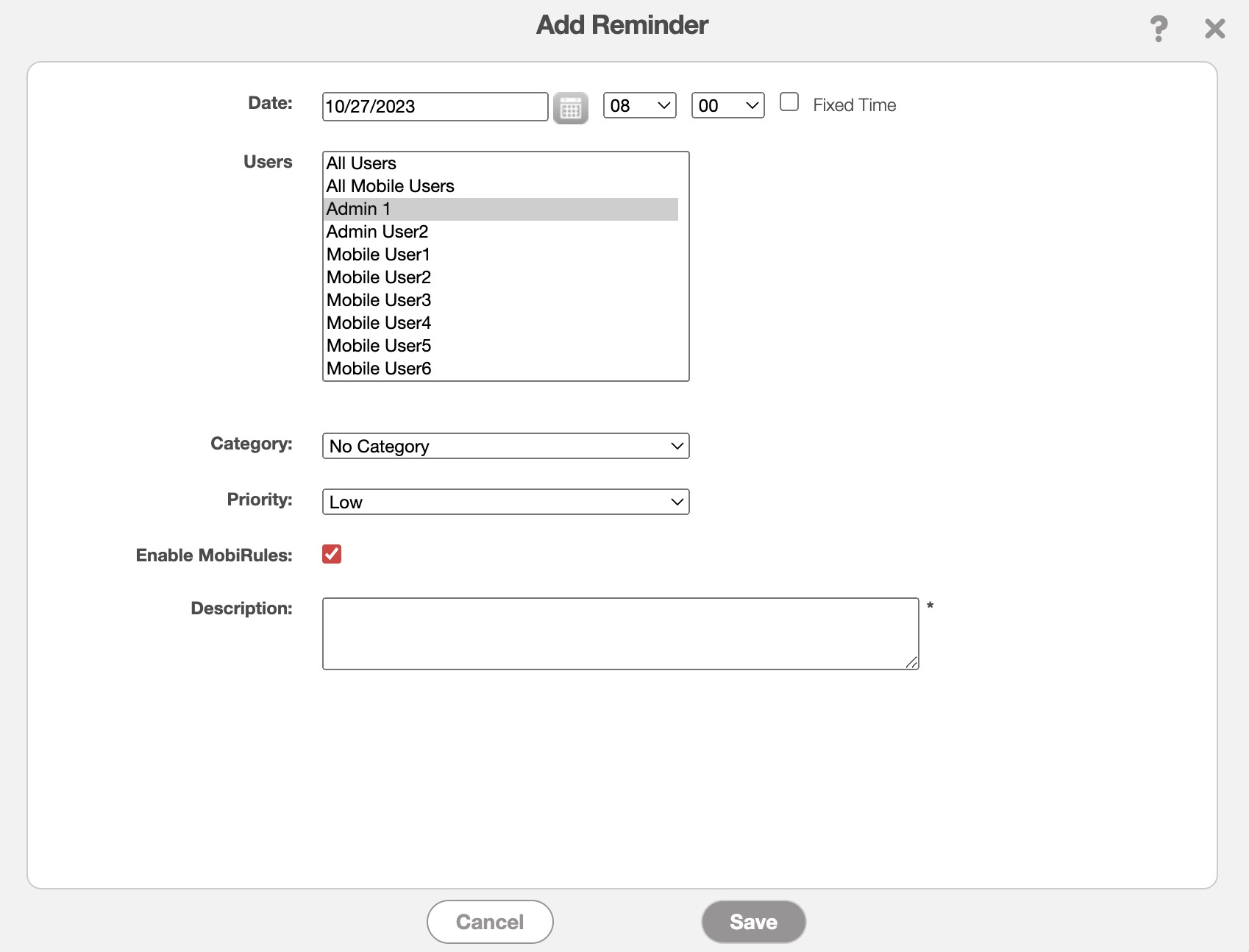
Select the date & time, the user in charge of the customer, the category, priority, and write a description of the reminder in the text field.
Once you are done composing your reminder, click the Save button.
You can either edit an individual reminder or multiple reminders. The subsections below will highlight how to access and update your selected reminders.
Edit an Individual Reminder
There are two different ways you can edit a reminder once it has been added:
Clicking on the Pencil button in the "Reminders" section from the View Customer pop-up window:
Using the right-click feature and selecting the "Edit Reminder" option from the drop-down:
Or clicking on the Individual Actions on the Customers feature page and selecting the "Edit Reminder" option from the drop-down:

Regardless of the method you choose to edit a reminder the Edit Reminder pop-up window will appear:
Once you have finished updating the reminder click the Save button.
Edit Selected Reminders
You can edit multiple reminders with the "Edit Selected Reminders" option from your MobiWork web application:
After selecting this option, the Edit Multiple Reminders pop-up window will appear:
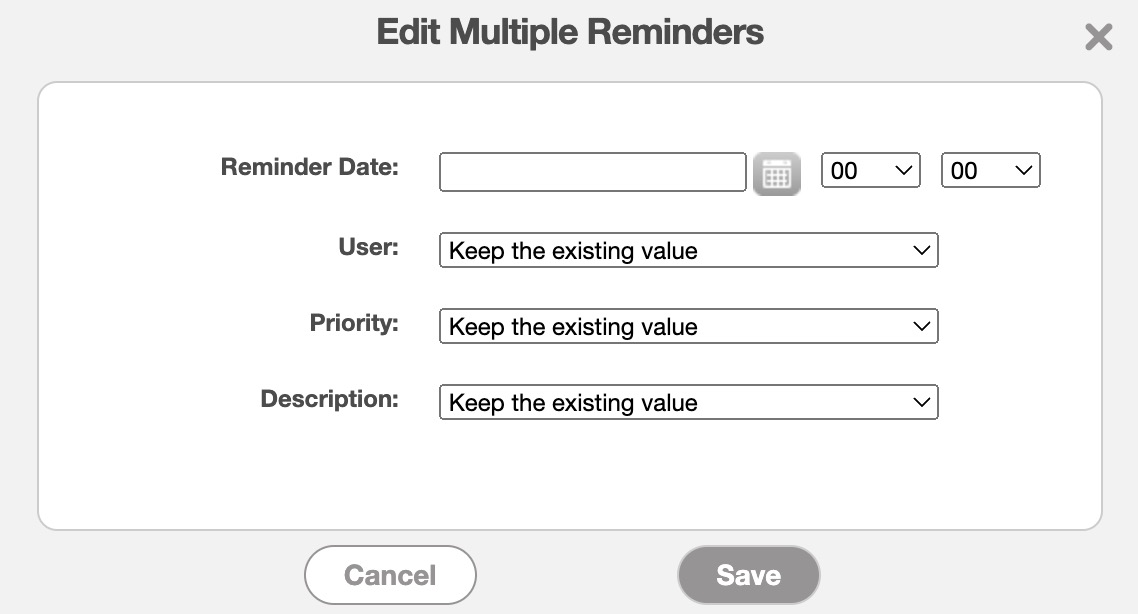
In this pop-up window input the:
Reminder date and time.
The user the reminder is intended for.
The priority level of the reminder (e.g., high, medium, low).
And the description of the new reminder.
You can delete multiple reminders with the "Delete Selected Reminders" drop-down from the More Actions button:
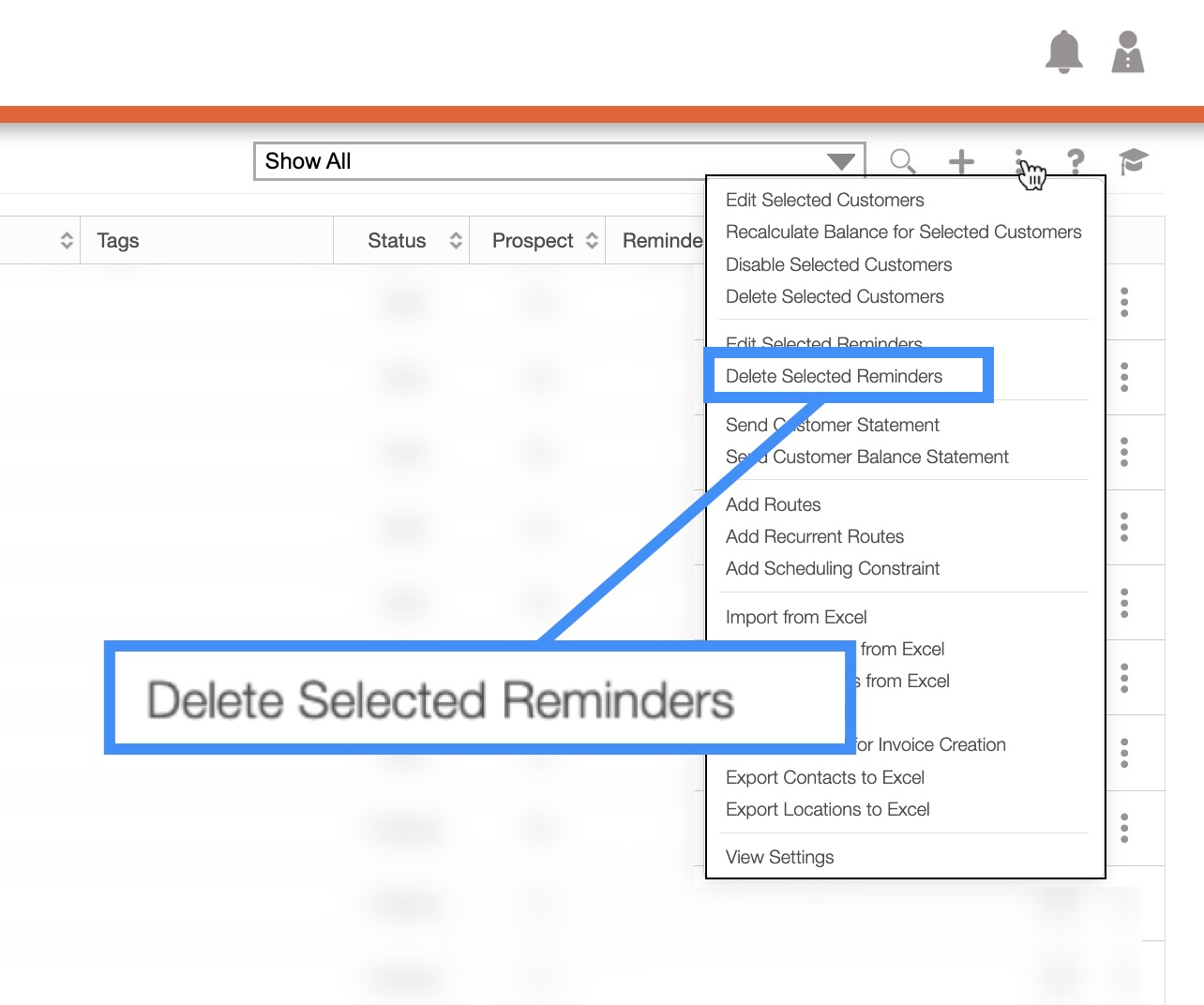
After selecting this option, the Delete Multiple Reminders pop-up window will appear asking to confirm the deletion of the reminders:
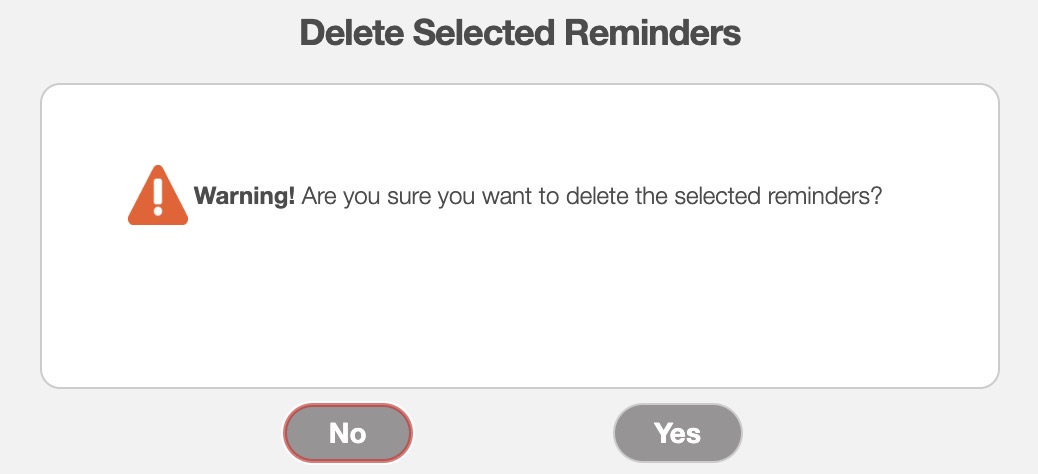
To confirm deletion, click on the Yes button; the reminders will then automatically be removed from the system.