
Time tracking reports are a powerful tool that export comprehensive time tracking data for all users in an easy-to-use Excel format.
These reports provide key insights, including start and end times, activity types, billable status, and moreāhelping businesses streamline payroll, optimize workforce management, and improve billing accuracy. With clear, organized data at your fingertips, you can make informed decisions and enhance overall operational efficiency.
The Time Tracking report is accessible from both the global reports list and the Time Tracking page. The report's data is generated based on the results of the saved search.
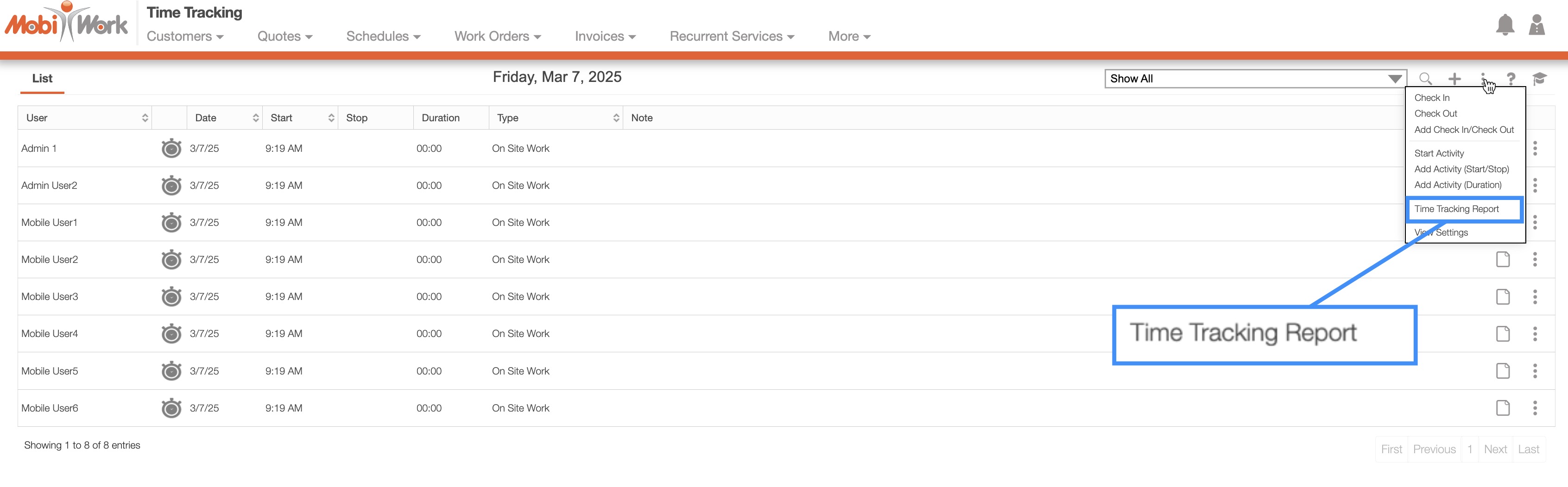
To generate a Time Tracking Excel report, navigate to the Time Tracking List page, click on the More Actions button, and select the "Time Tracking Report" option:
![]()
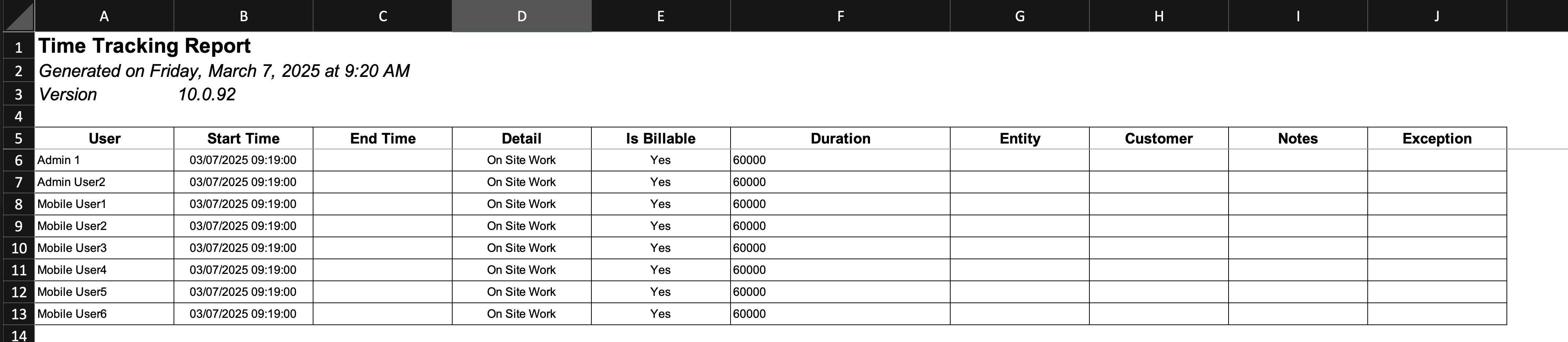
The report automatically compiles all listed users' hours for the day into a structured Excel document:
![]()
This report will allow you to easily access, analyze, and manage time tracking data.