
To add the iSolved Payroll connector to your MobiWork account, please follow the steps below:
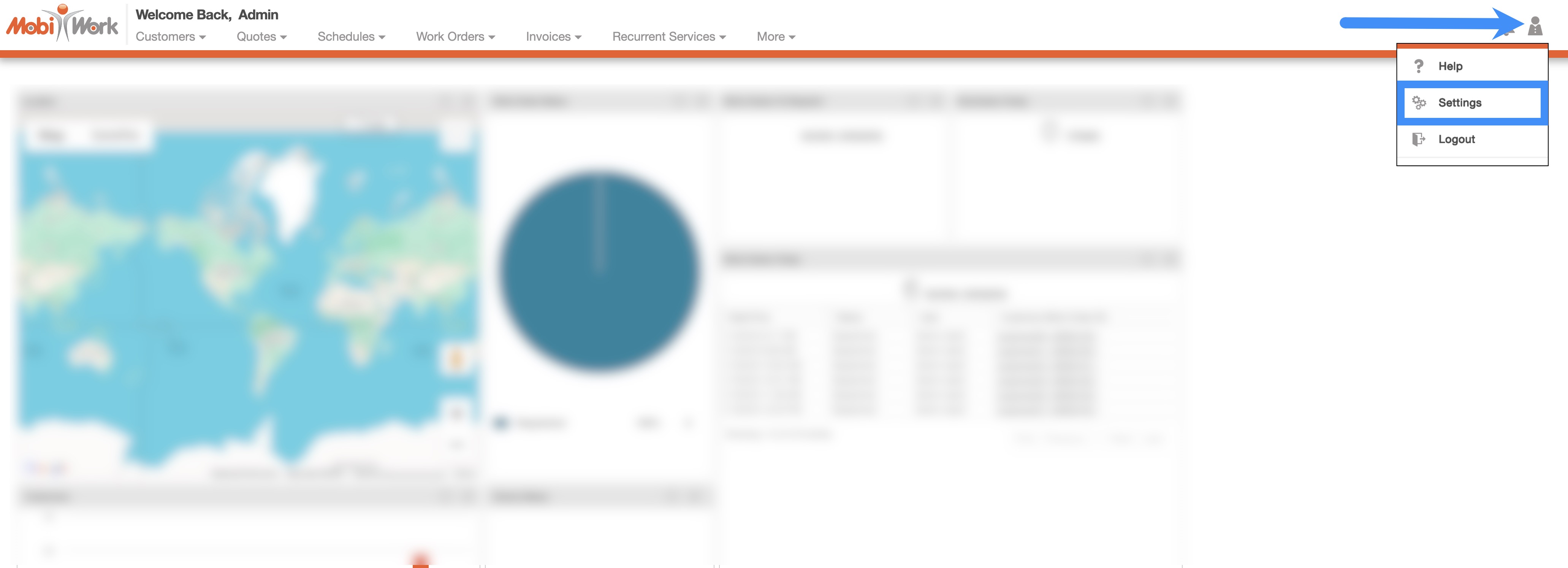
In your MobiWork account, navigate to the User icon, and from the drop-down menu choose the "Settings" option:
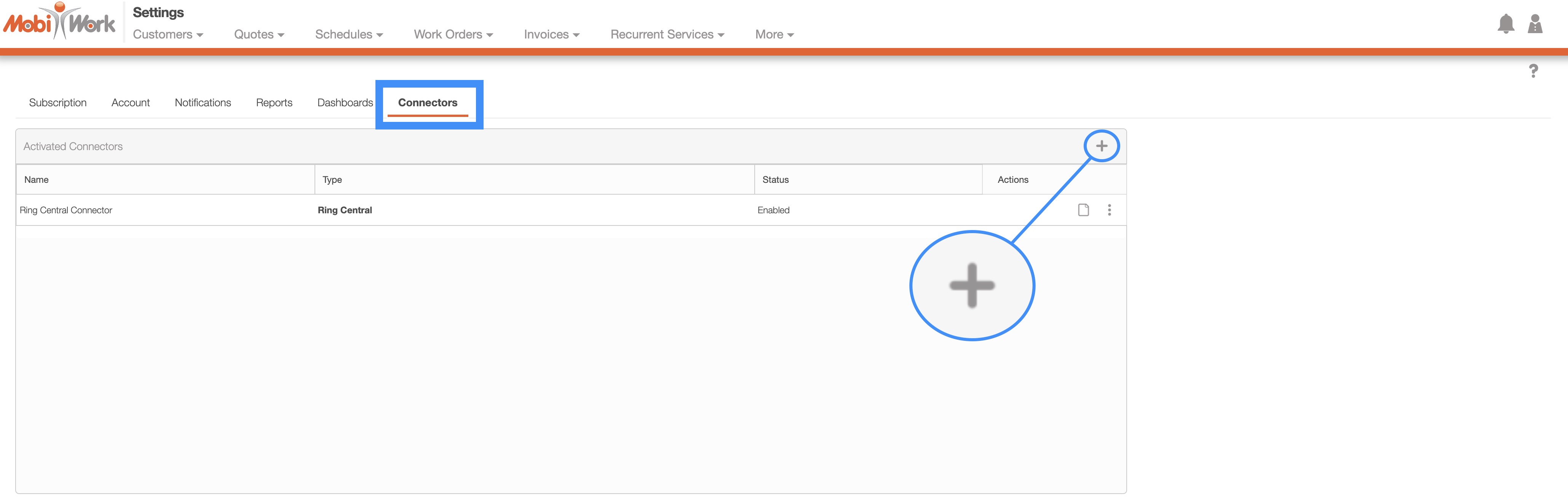
Access the "Connectors" tab, then click on the Plus Sign button:
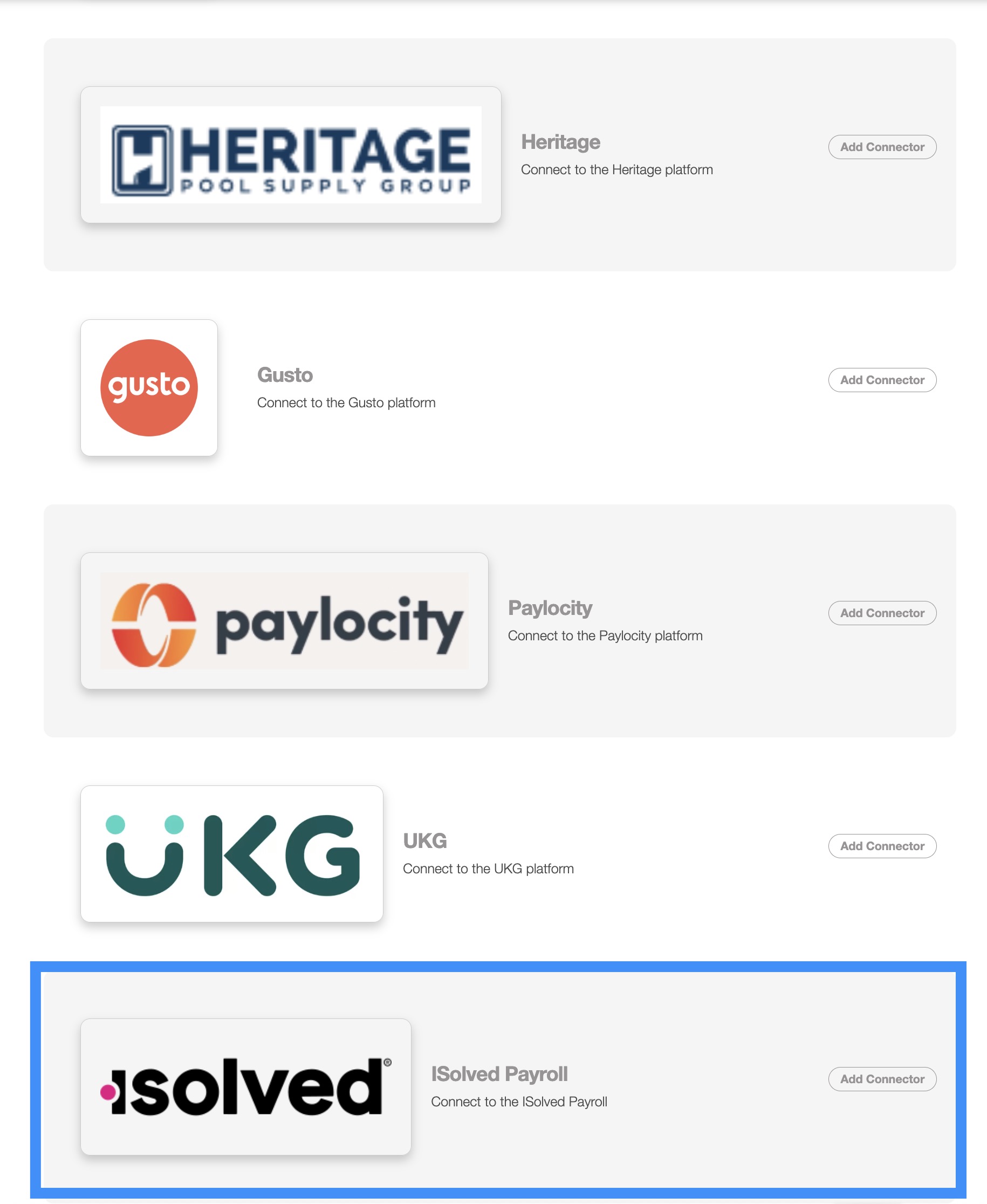
Next, scroll down to the "Others" section, find iSolved Payroll and click the Add Connector button:
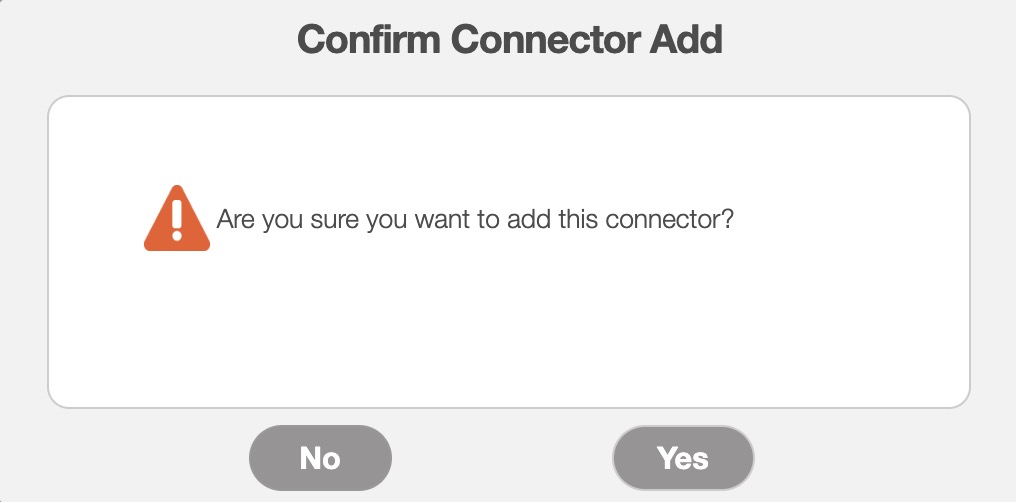
Once you add the connector, the Confirm Connector Add pop-up window will appear. Click the Yes button to confirm that you would like to add the iSolved Payroll connector:
To export your MobiWork data for iSolved Payroll, navigate to the Time Tracking Billing List page:
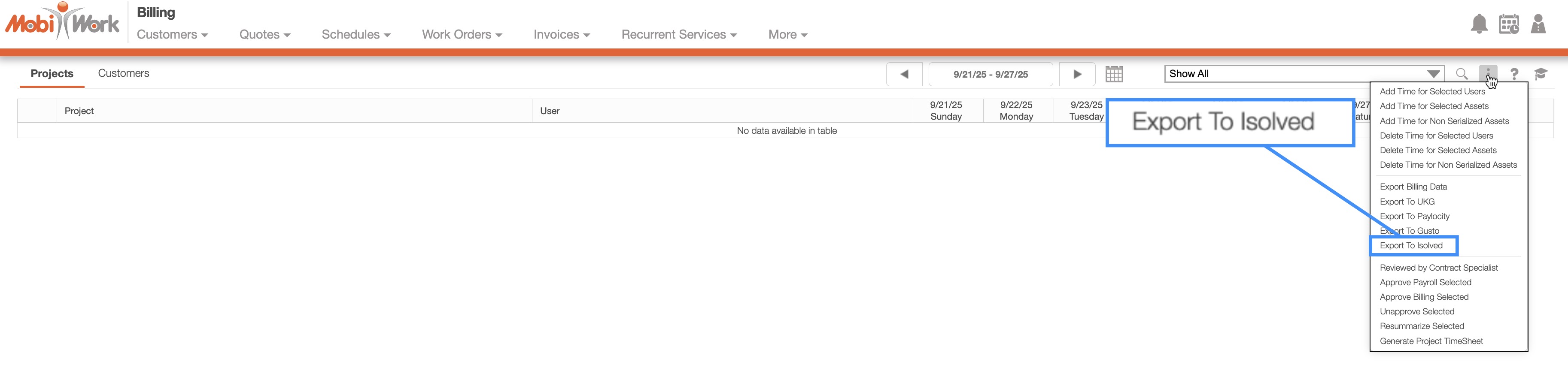
Click the More Actions button and select "Export to iSolved" from the drop-down menu.
An Excel file will be generated and downloaded to your computer:
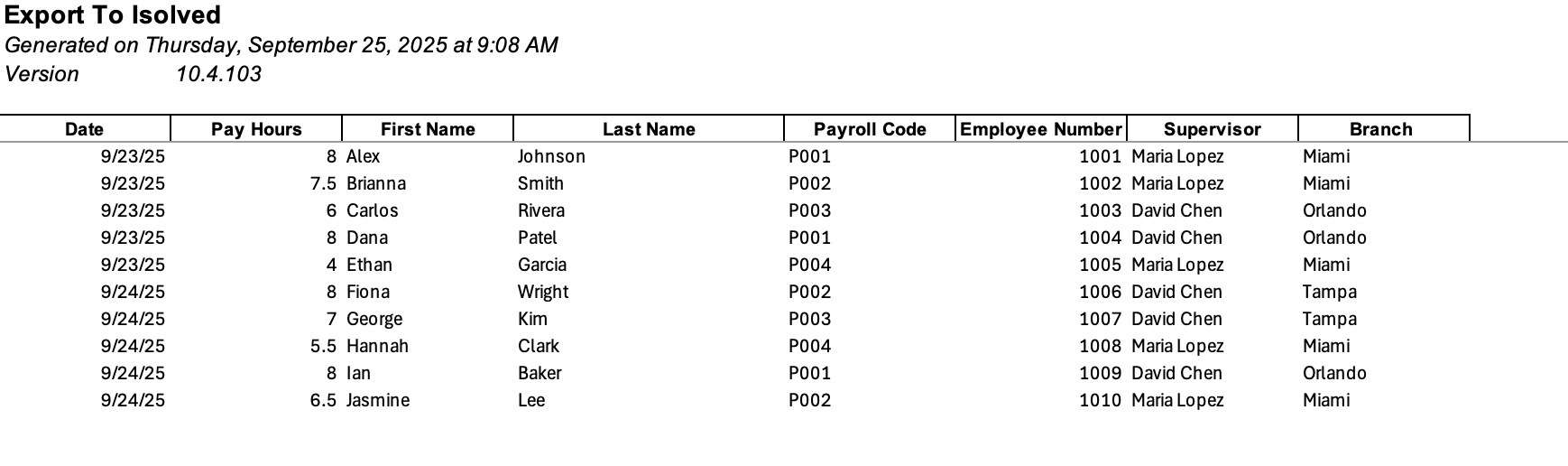
You can then upload this file directly into the iSolved Payroll software. Please feel free to contact us if you need to export additonal data or modify the file format.