
Overview

After a work order is dispatched, the crew supervisor will be able to access the assigned work order. From the field, crew supervisors will then be able to obtain work order information and track time for the crew; thus, helping streamline job management and keep field operations running efficiently.

This section will highlight where users can see the crew assigned to the work order.

How to Access the Page

Once a work order has been dispatched to a crew from the web user interface, the dispatched crew and its assigned members can be viewed directly on the work order from the device.

For more information about dispatching a crew to a work order, please see the Crew Dispatching page.

Crew Dispatching on Your Mobile Device

On the device, you can access the work order details, including the dispatched crew. By clicking on the Individual Actions button in the "Assigned To" field you will be able to view the crew members that are assigned to the specified work order:
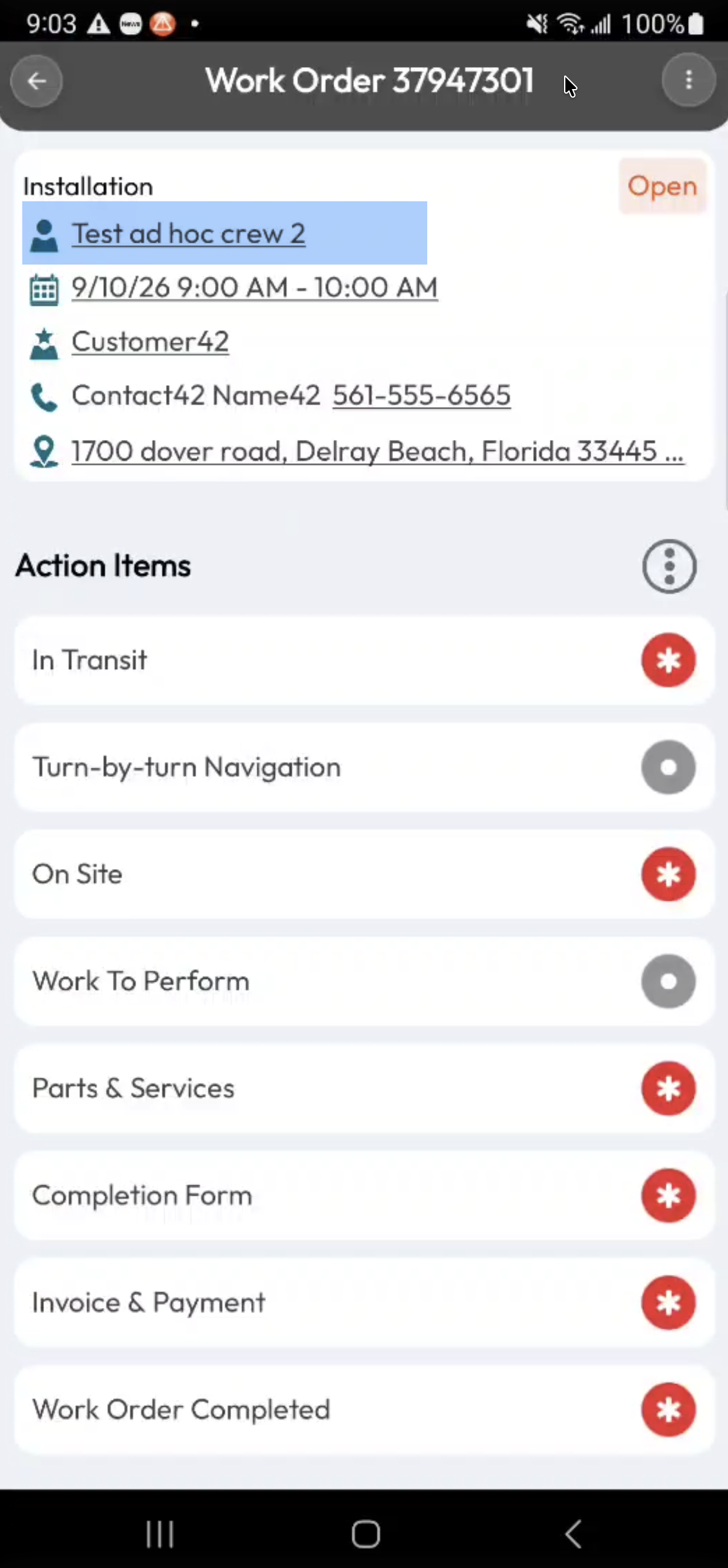
When you select the crew name, you can access the Dispatch page associated with the work order:
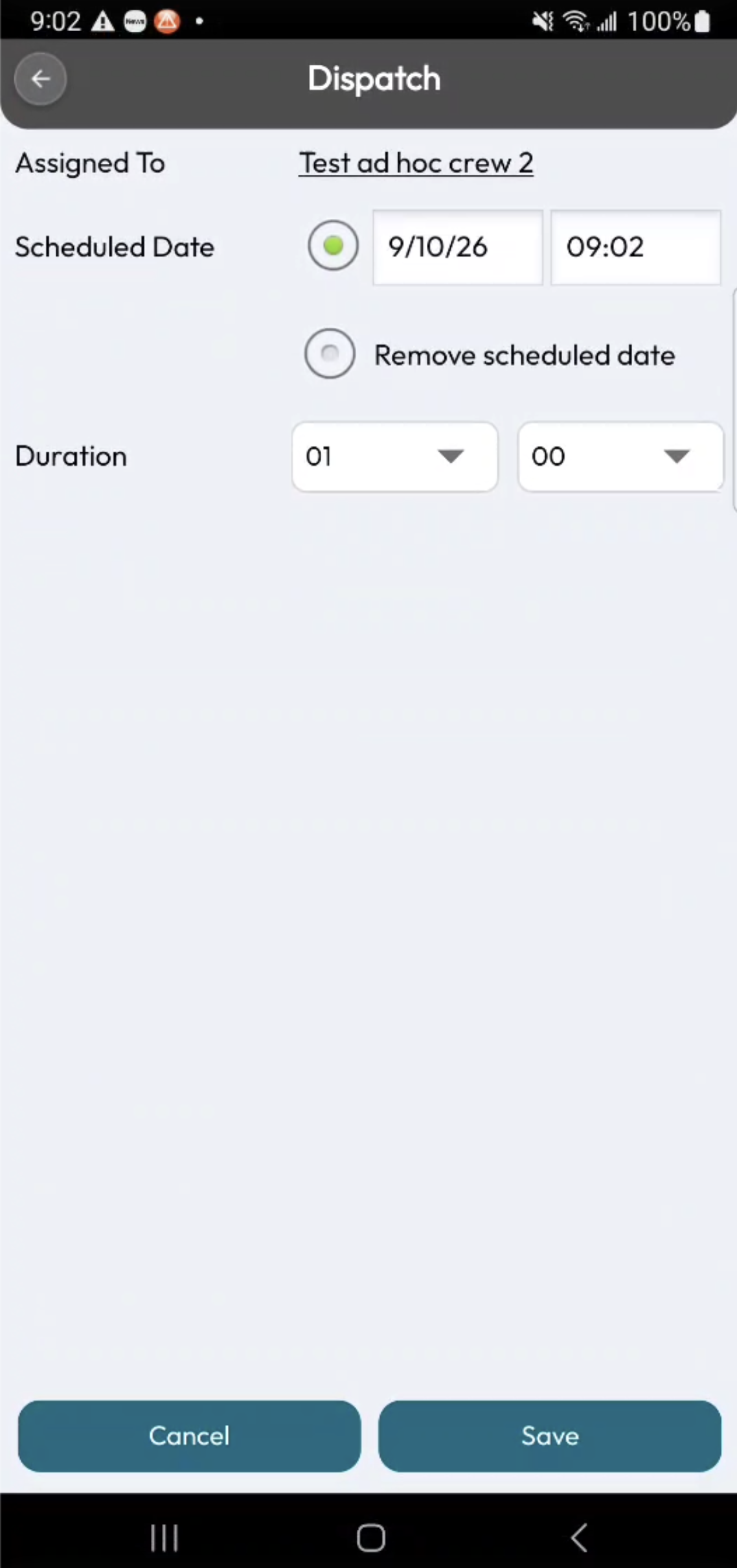
From this page, you can reassign the work order to another user or crew, update the scheduled date and time, and adjust the work order duration.