
Overview
After adding the End Point Base URL in the connector settings when adding the connector, you need to add specific End Points.
These End Points are the controller/method names of the 3rd Party REST connector you need to call.
Explanation of fields:
After adding the End Point Base URL in the connector settings when adding the connector, you need to add specific End Points.
These End Points are the controller/method names of the 3rd Party REST connector you need to call.
- Select the "Account -> Settings" menu entry
- Click on the "Connectors" tab
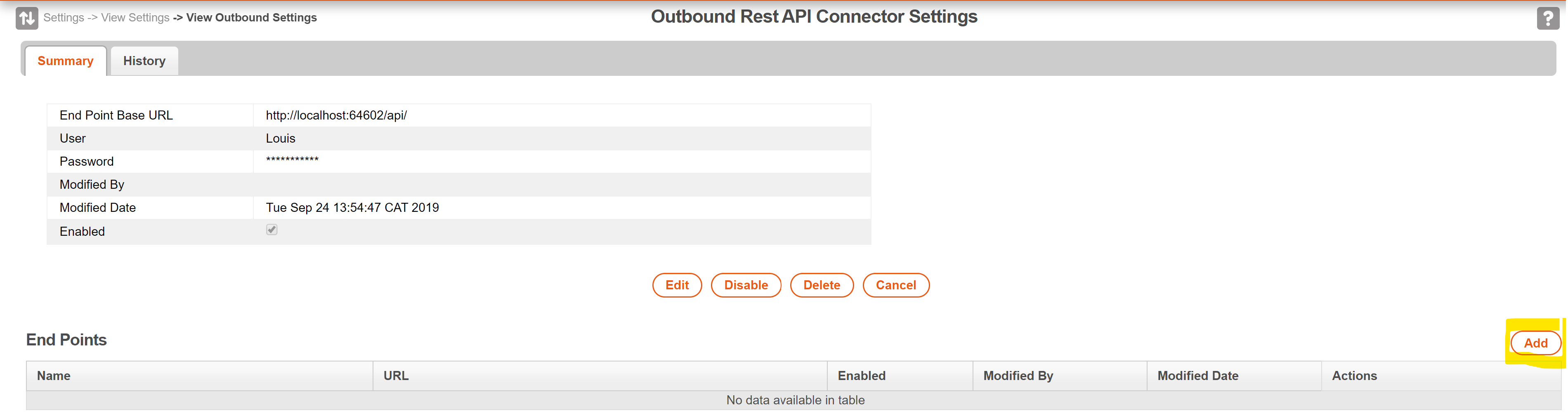
- Click on the "View" button of the MobiWork Outbound Rest API Connector
- The following screen will open listing all current End-Points configured on the connector
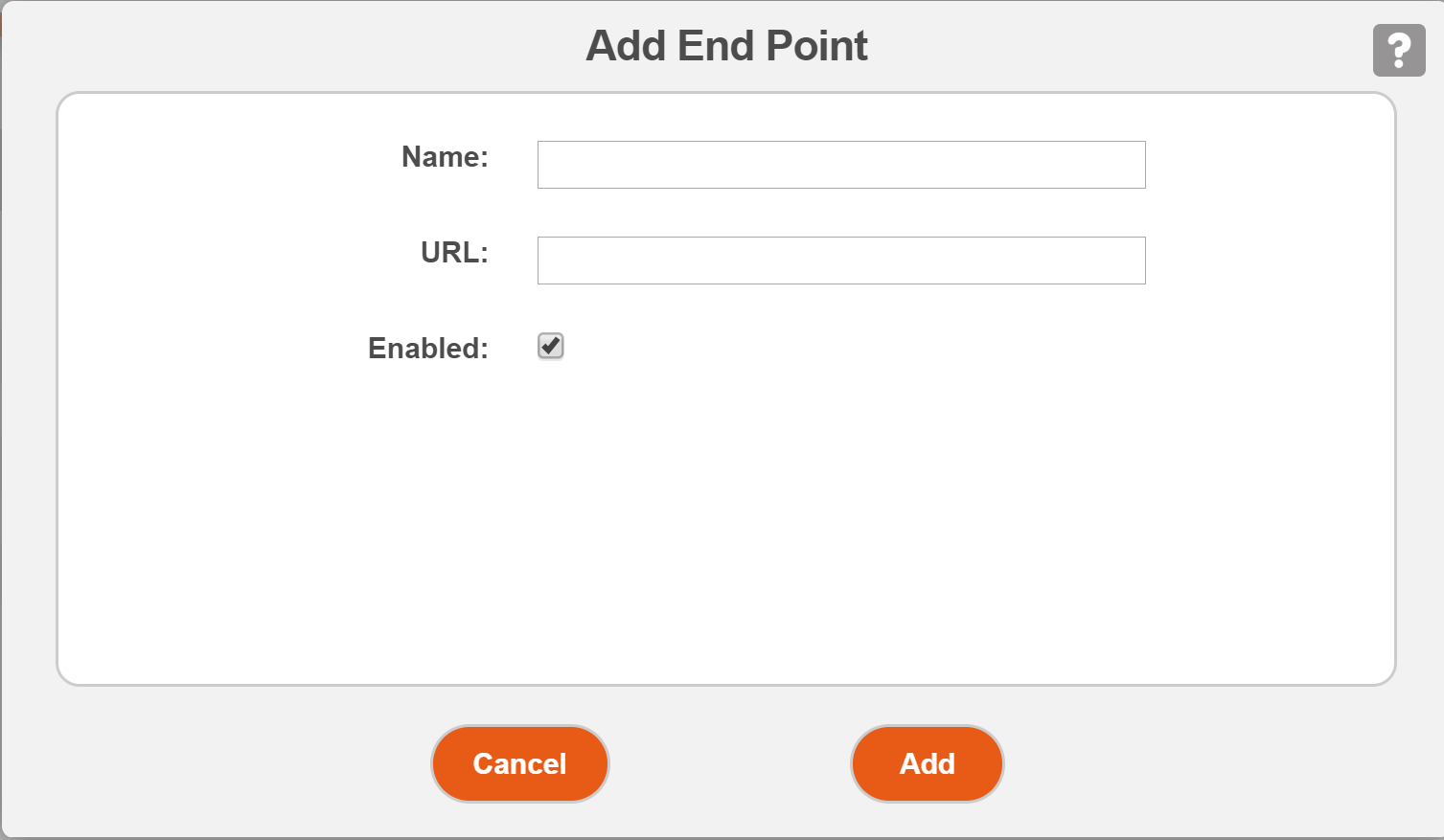
Explanation of fields:
- Name: The name you will use in MobiRules to add this EndPoint
- URL: The URL of the EndPoint. Basically the controller\method of the REST endpoint in the 3rd Party REST service
- Enabled: This is to enable/disable the End-Point