
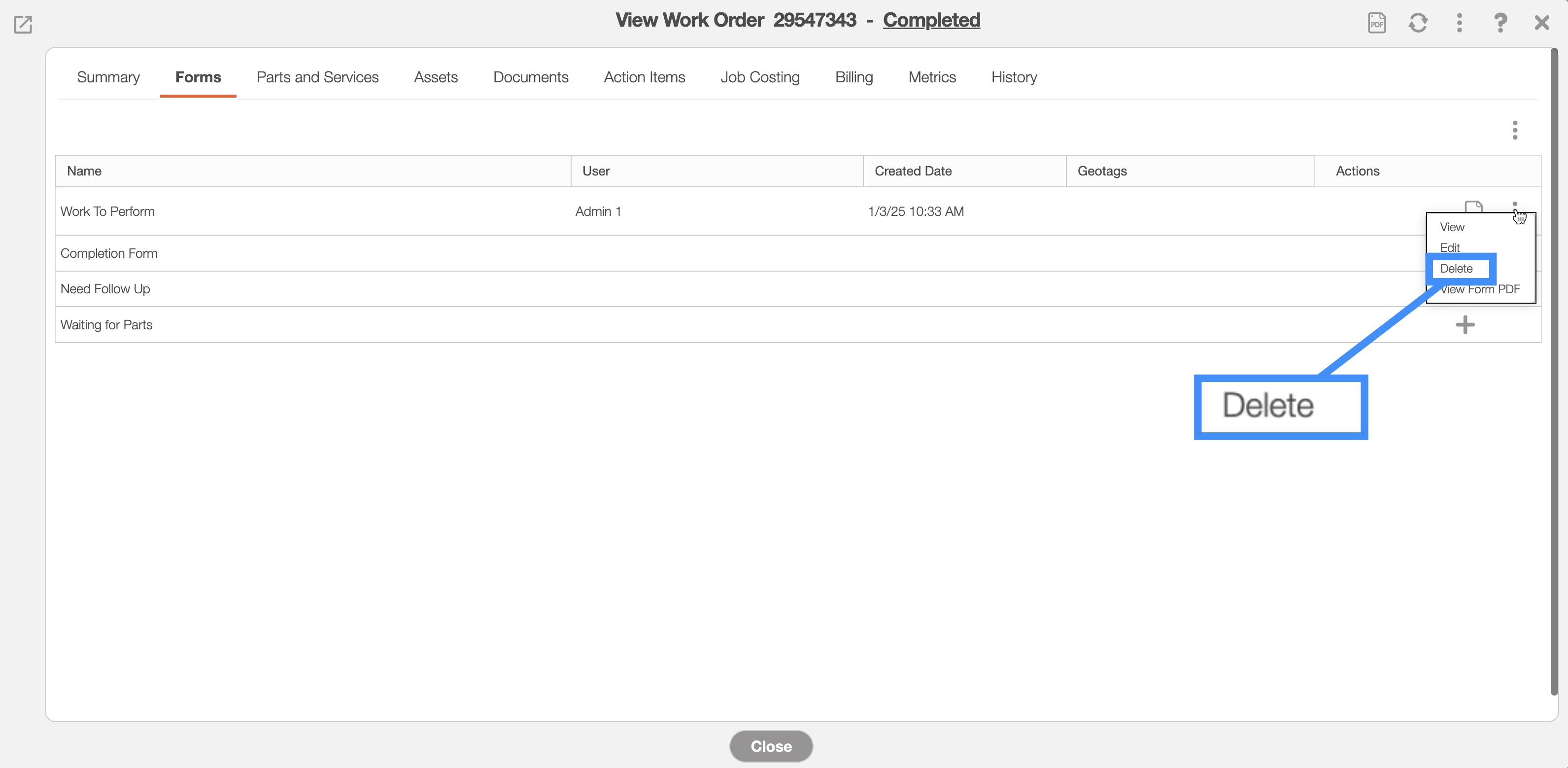
You will be able to delete a work order form through the "Forms" tab located in the View Work Order pop-up window. Once on the "Forms" tab, locate the form you wish to delete and click on the Individual Actions button. From the drop-down menu, select the "Delete" option:
For more information on how to access the View Work Order pop-up window, please see the View Work Order page.
Selected work order forms can be exported from the "Forms" tab on the View Work Order pop-up window. To indicate which forms you would like to export, simply check the boxes of the selected forms, then click on the PDF icon.
This will enable you to export the desired forms into PDF rather than exporting all of the forms:

Also, if parts or services are added to the work order, then the resulting exported PDF will also include the work order invoice. Please note that if you click on the PDF icon on the "Summary" tab, then all forms will be compiled into the exported PDF.
Please Contact Us for more information regarding this feature if you would like to enable it for your account.