SOAP UI
Getting Started
University
Features
Connectors
Contact Us
TESTING
Connectors
/
Inbound REST API
/
Test Tools
Features
Connectors Framework
Inbound REST API
Test Tools
SOAP UI
Installing and using SOAP UI
SOAP UI supports extensive testing of RESTful web services and their resources, representations, etc.
Downloading SOAP UI
Open source version of SOAP UI can be downloaded from:
http://sourceforge.net/projects/soapui/files
.
Testing MobiWork Inbound Rest APIs
For detailed SOAP UI rest testing documentation please refer to:
https://www.soapui.org/rest-testing/getting-started.html
.
Connect to MobiWork Inbound Rest API
Run SOAP UI
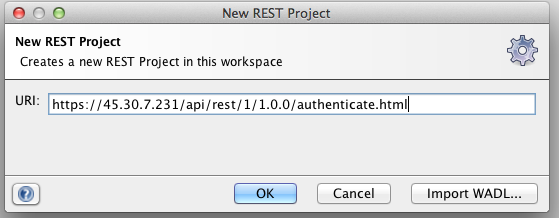
Right click on Projects and select New Rest project
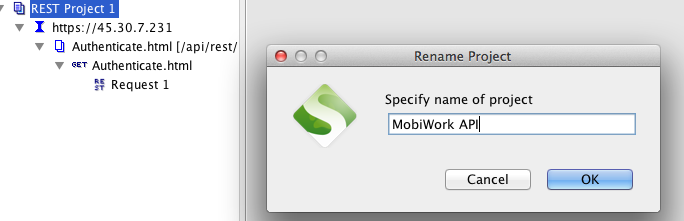
Right click on project and rename to the MobiWork API
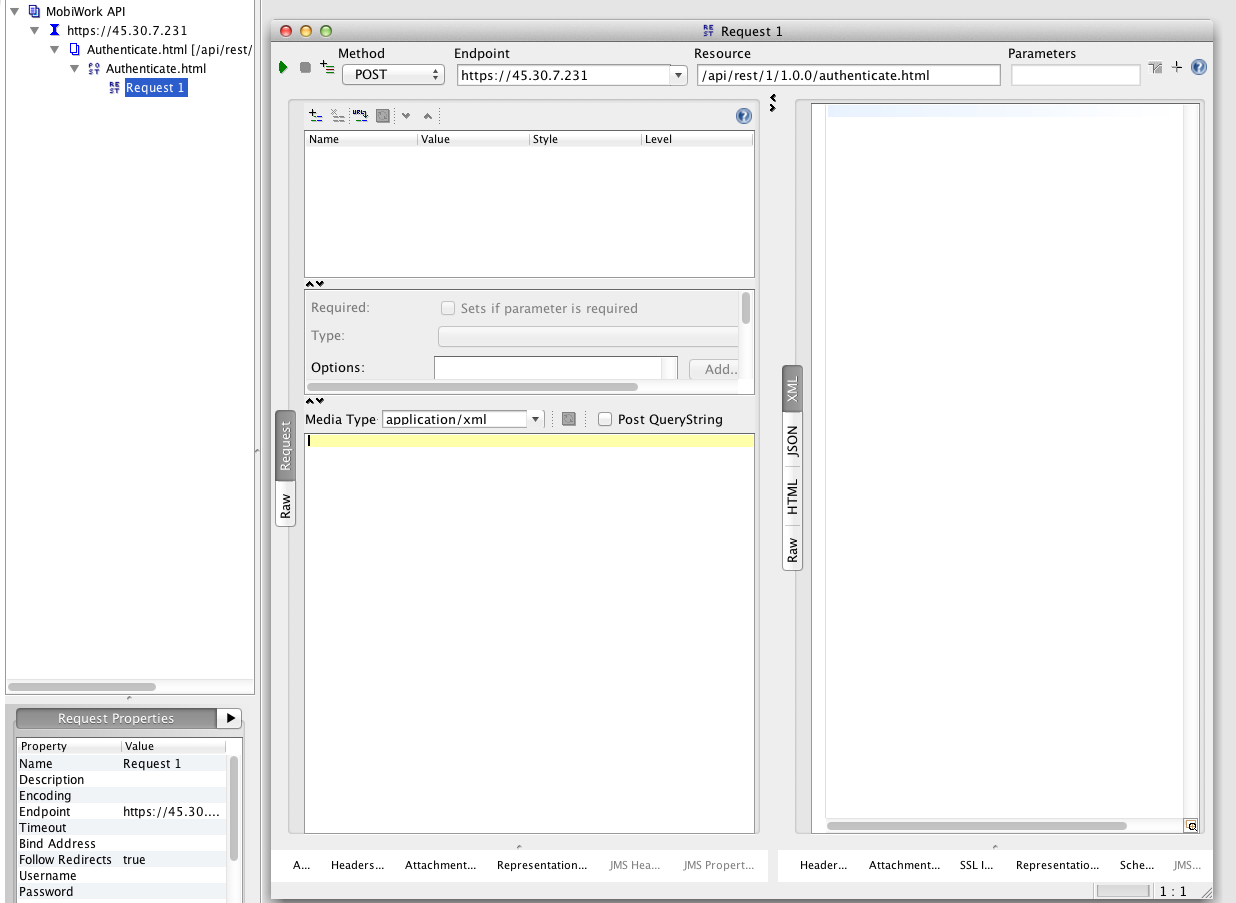
Open the request (Request 1) under authenticate and change the media type to application/XML
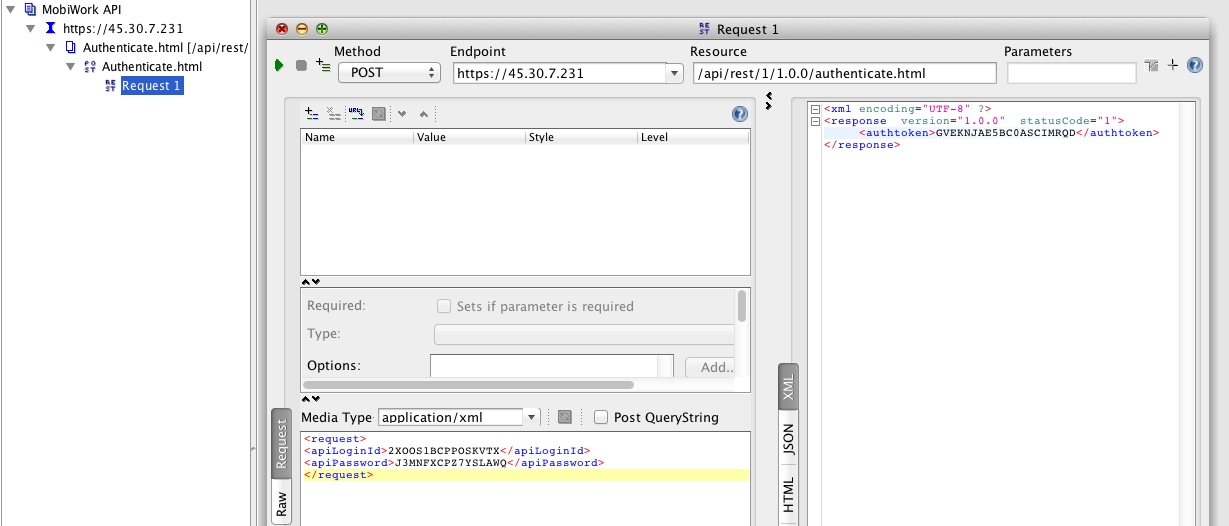
Now run the request with a proper XML input. You will get a response as shown below