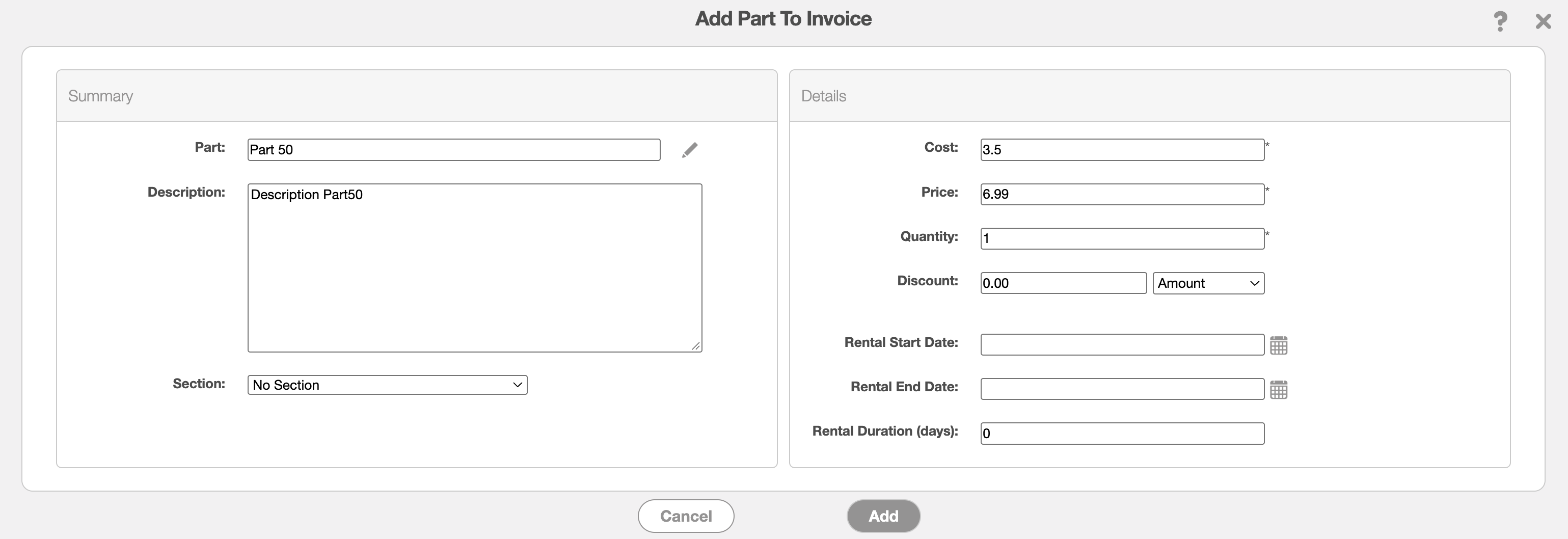
The Revenue Allocation Excel Export is used to track revenue that has been billed to a customer upfront but has not yet been earned. For example, when a customer is billed for a full year of services in advance, the amount collected may need to be recognized as revenue over the service period rather than all at once.
This report provides a detailed breakdown of revenue allocation by customer, including the period over which revenue is recognized. The following fields are available in the report:
Revenue Allocation Effective Date- Indicates the date on which revenue allocation begins.
Revenue Allocation Number of Months- Indicates the number of months over which the revenue is allocated.
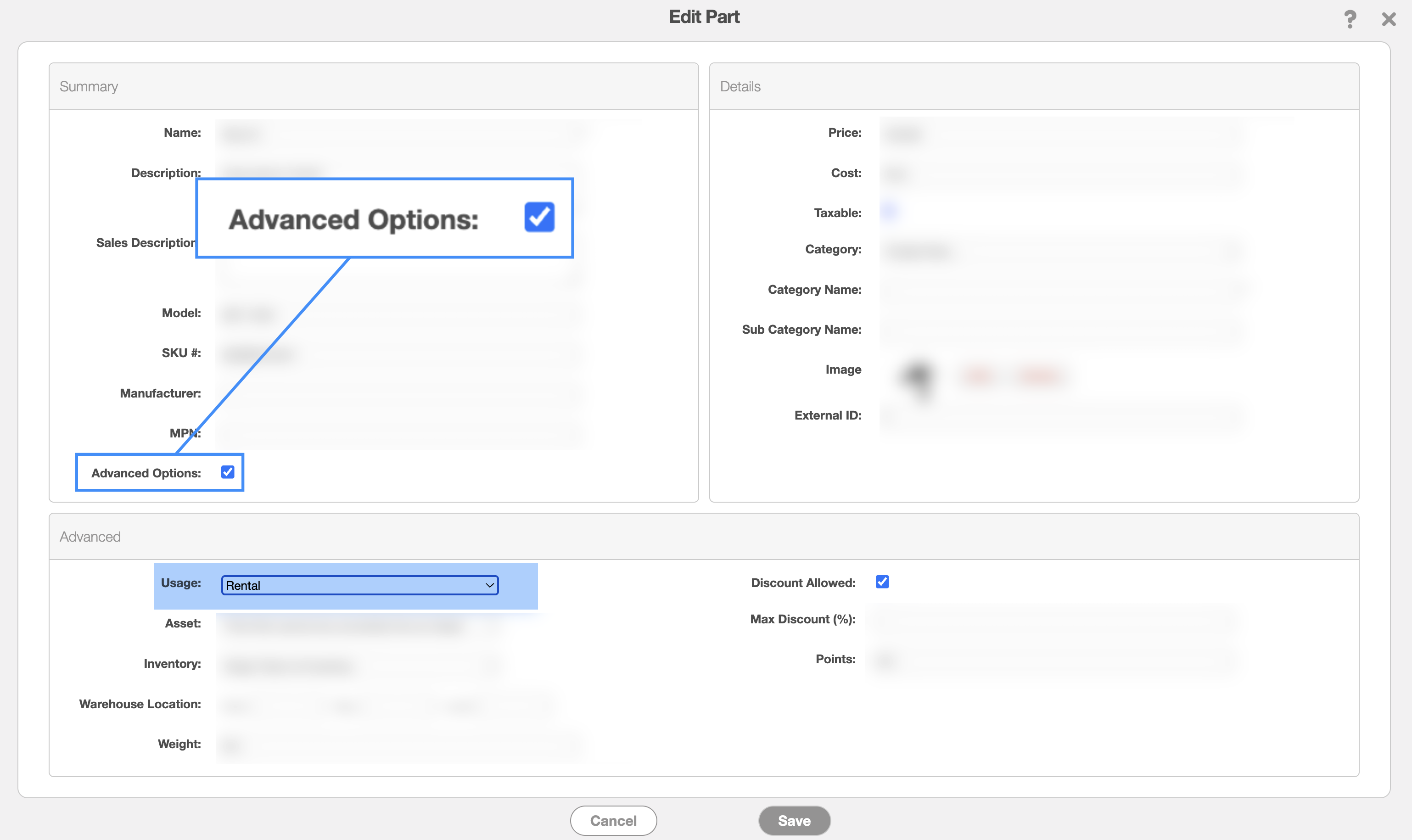
To populate the Revenue Allocation fields, the part must first be configured as a rental. This setting can be configured when adding or editing a part:
Enter the applicable revenue allocation information, including the effective date and number of months, as required: