

- Overview
- Account Settings
- Assets
- Connectors Framework
- Overview
- QuickBooks Online
- QuickBooks Desktop Web Connector
- Azure AD
- Salesforce Integration
- FleetNet Connector
- Avalara Connector
- Inbound REST API
- Outbound REST API
- Mailchimp Connector
- Text Messaging Connector
- Clearent Connector
- Stripe Connector
- HubSpot Connector
- UKG Connector
- Paylocity Connector
- UKG Connector
- Gusto Connector
- iSolved Payroll Connector
- Customer Portal
- Customers
- Dashboards
- Devices
- Dispatching
- Forms
- Inventory
- Invoices & Billing
- Locations
- Payments
- Parts
- Projects
- Quotes
- Recurrent Routes
- Recurrent Services
- Reports
- Sales Orders
- Schedule
- Services
- Tasks
- Text Messaging
- Time Tracking
- Users
- Work Orders
With MobiWork's integration with the iSolved Payroll Connector, you can easily export time tracking payroll data and import them directly to the iSolved Payroll software.
To add the iSolved Payroll connector to your MobiWork account, please follow the steps below:
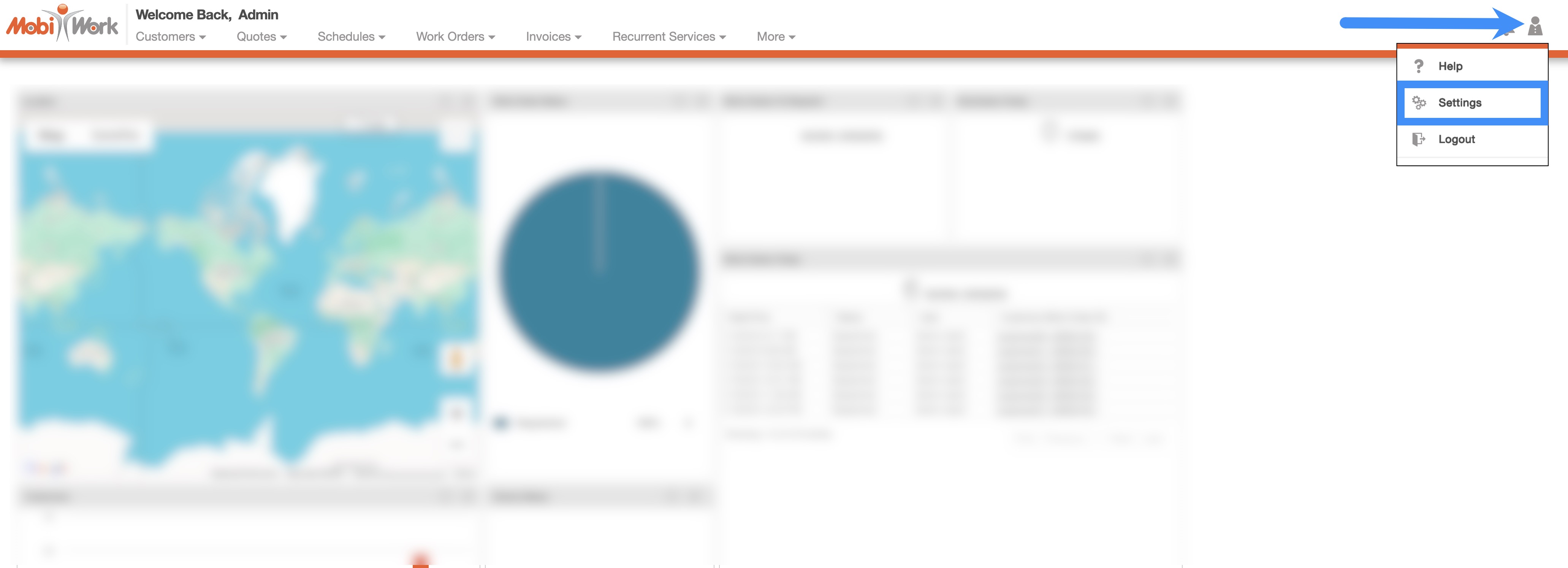
In your MobiWork account, navigate to the User icon, and from the drop-down menu choose the "Settings" option:
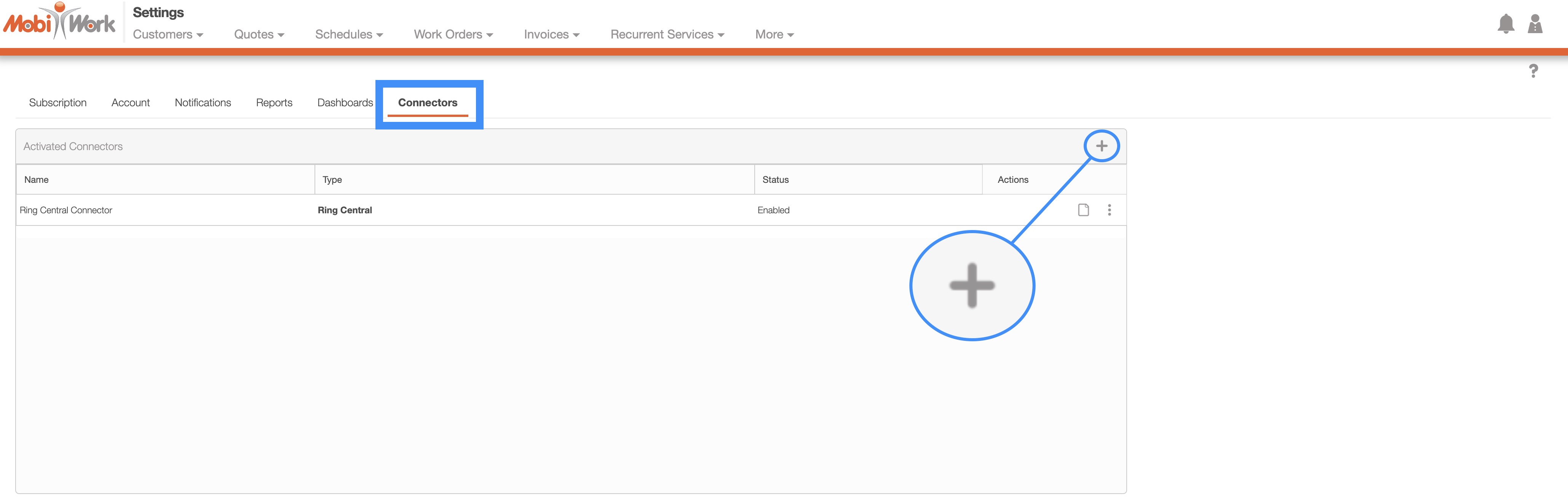
Access the "Connectors" tab, then click on the Plus Sign button:
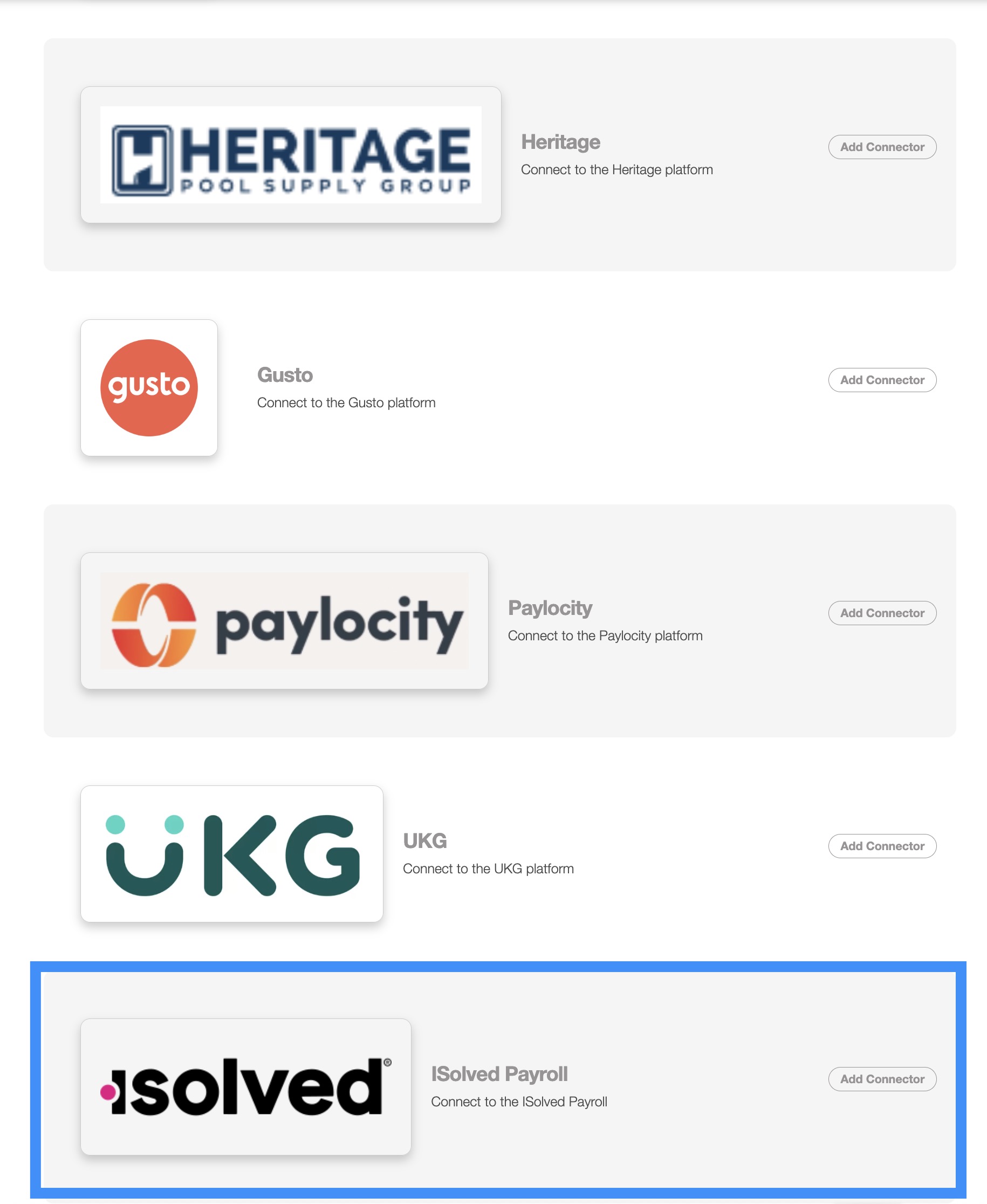
Next, scroll down to the "Others" section, find iSolved Payroll and click the Add Connector button:
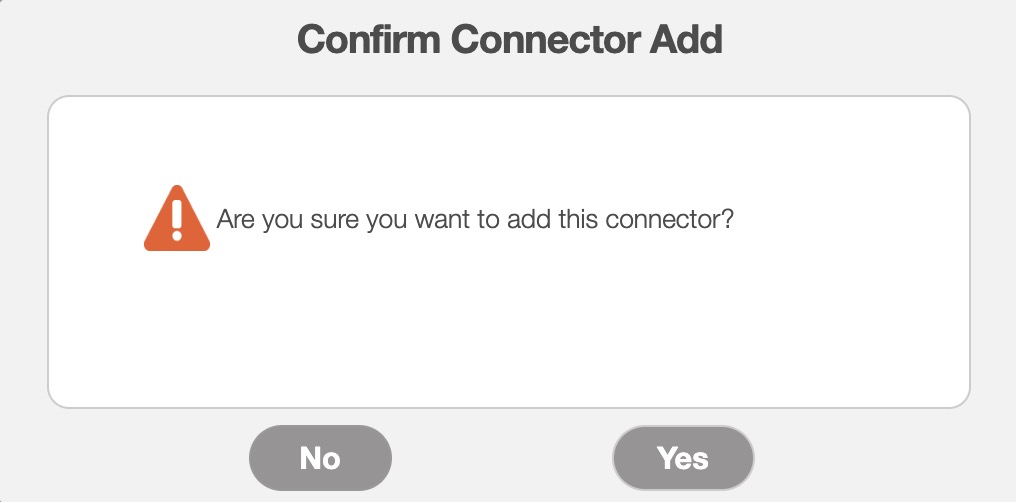
Once you add the connector, the Confirm Connector Add pop-up window will appear. Click the Yes button to confirm that you would like to add the iSolved Payroll connector:
To export your MobiWork data for iSolved Payroll, navigate to the Time Tracking Billing List page:
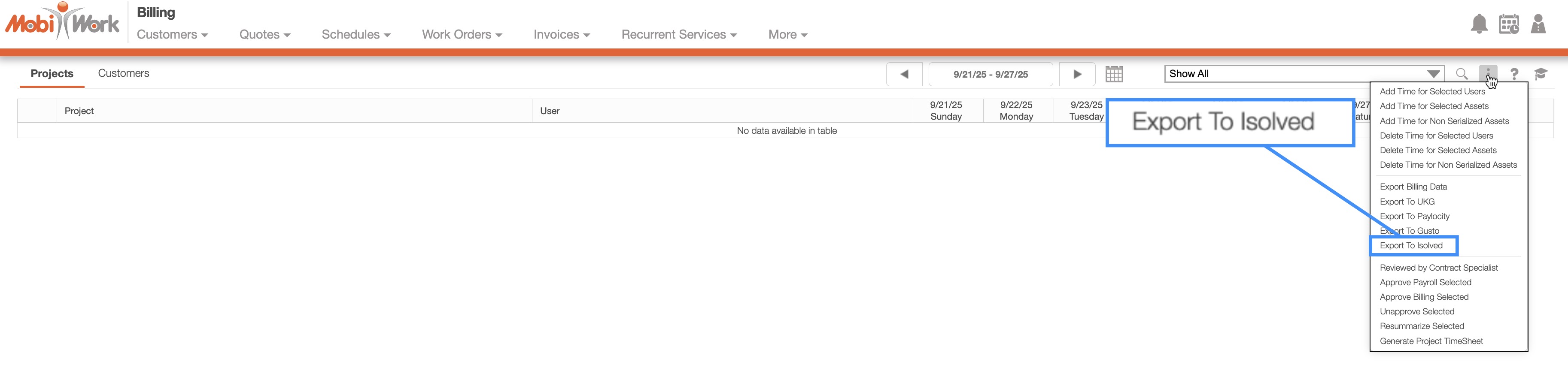
Click the More Actions button and select "Export to iSolved" from the drop-down menu.
An Excel file will be generated and downloaded to your computer:
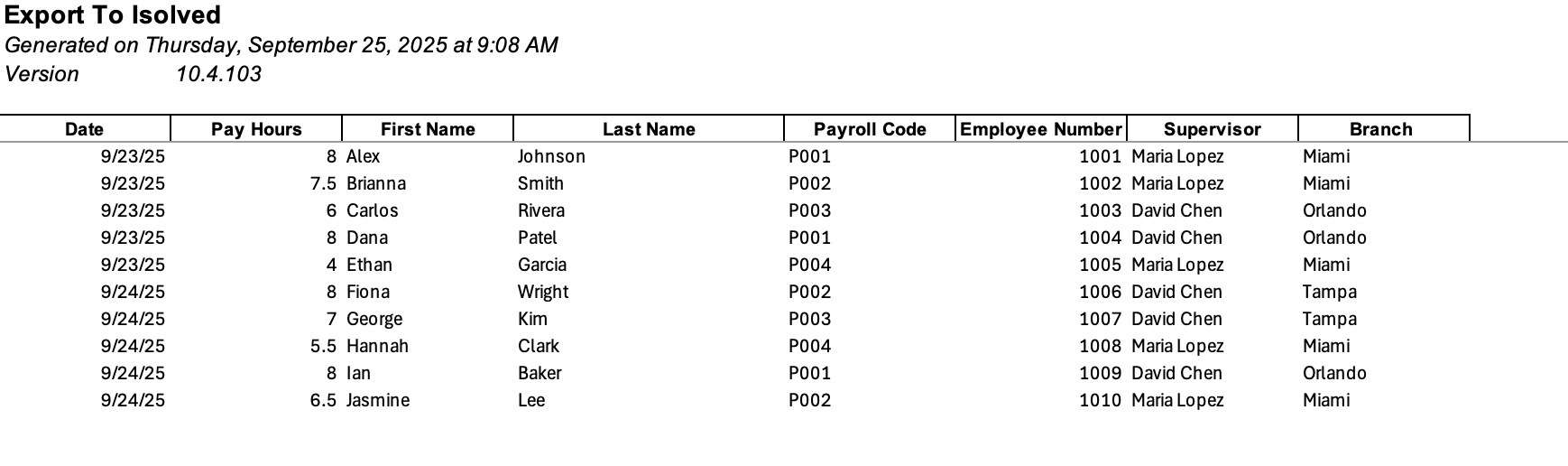
You can then upload this file directly into the iSolved Payroll software. Please feel free to contact us if you need to export additonal data or modify the file format.
If you have any questions or need further assistance, please let us know. We'd be happy to help!
