
The browser tab title dynamically updates to reflect the entity or list currently being viewed. When opening a full entity record (such as a customer, invoice, or work order), the tab will display the name of that specific record. When navigating to a list page, the tab title will reflect the name of the selected list view.
The example below shows how the browser tab name syncs with header of the corresponding View Customer pop-up window:
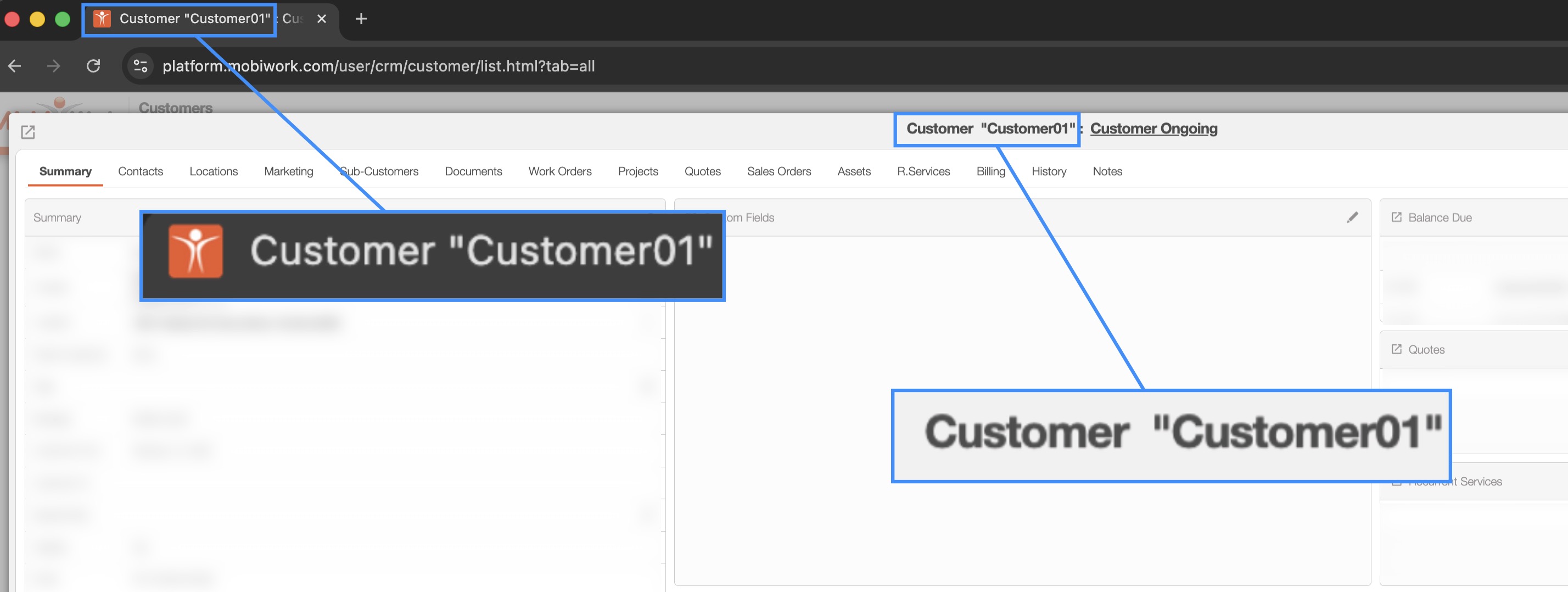
This update provides clearer navigation, especially when you are working with multiple tabs. You will be able to easily distinguish between open records and lists without needing to switch back and forth between pages, improving overall workflow visibility and organization.
MobiWork allows you to open an entity in a separate window for easier navigation and multitasking.
To do so, either right-click on the desired entity or click the Individual Actions button. From the drop-down menu, select "View in New Window "to open the entity in a separate browser window:
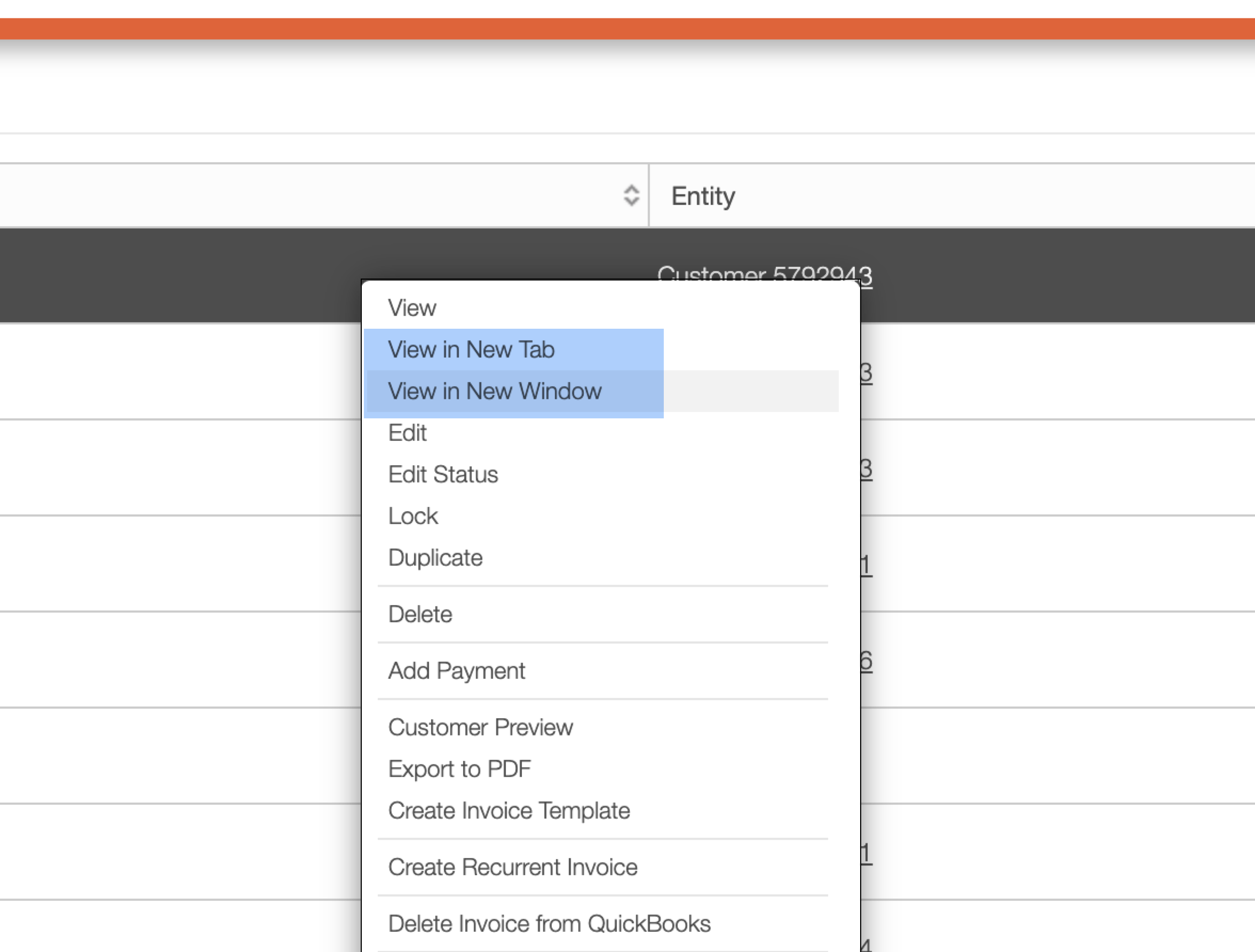
This functionality makes it easy to work with multiple records simultaneously without losing your place in the current list or workflow.
MobiWork allows you to open certain entities in a separate browser window directly from their corresponding panel, making it easier to reference information and work with multiple records simultaneously. This makes it easier to reference related information or work with multiple records without interrupting your current workflow.
The example below highlights the action from the View Customer pop-up window's "Work Order" panel; this ability is available for entities such as Projects, Work Orders, Invoices, Customers, Quotes, and Assets:

From the entity's View page, select "View in New Window" to open the record in a separate browser window. This functionality is especially useful when you need to compare records, reference information from another entity, or work in multiple areas of MobiWork at the same time while keeping the original pop-up window open.
MobiWork also allows you to open entities in a new tab; thus, allowing you to access additional records without interrupting your current task.
To open an entity in a new tab, either right-click the desired record or select the Individual Actions button. From the drop-down menu, choose "View in New Tab" option from the drop-down:
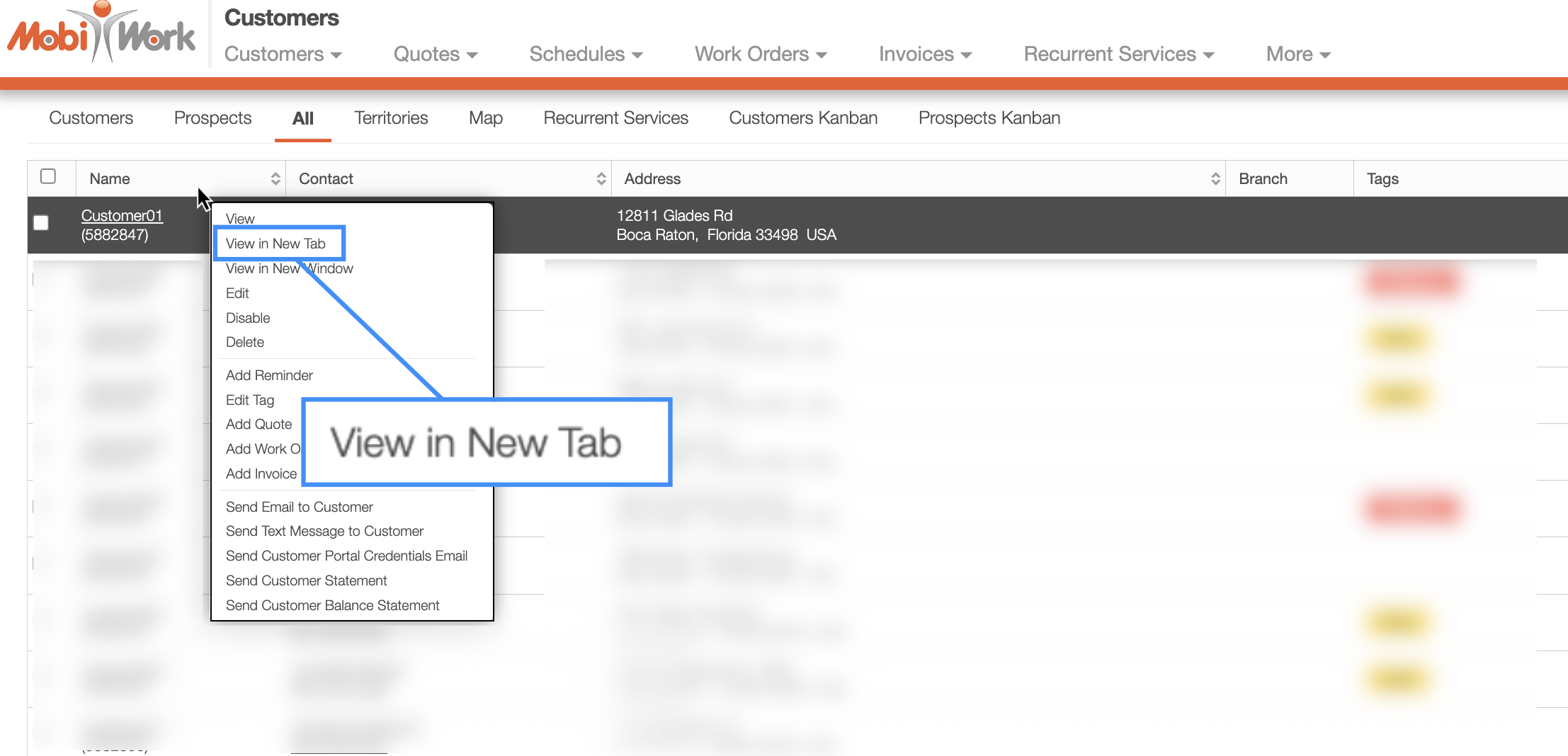
Opening records in a new tab is especially useful when referencing multiple entities at the same time, such as comparing customer information, reviewing related work orders, or switching between quotes and invoices. This feature helps you stay organized and navigate your data more efficiently without having to repeatedly return to your previous page.
MobiWork allows you to open certain entities in a separate browser window directly from their corresponding panel, making it easier to reference information and work with multiple records simultaneously.. This makes it easier to reference related information or work with multiple records without interrupting your current workflow.
The example below highlights the action from the View Customer pop-up window's "Work Order" panel; hthis ability is available for entities such as Projects, Work Orders, Invoices, Customers, Quotes, and Assets:
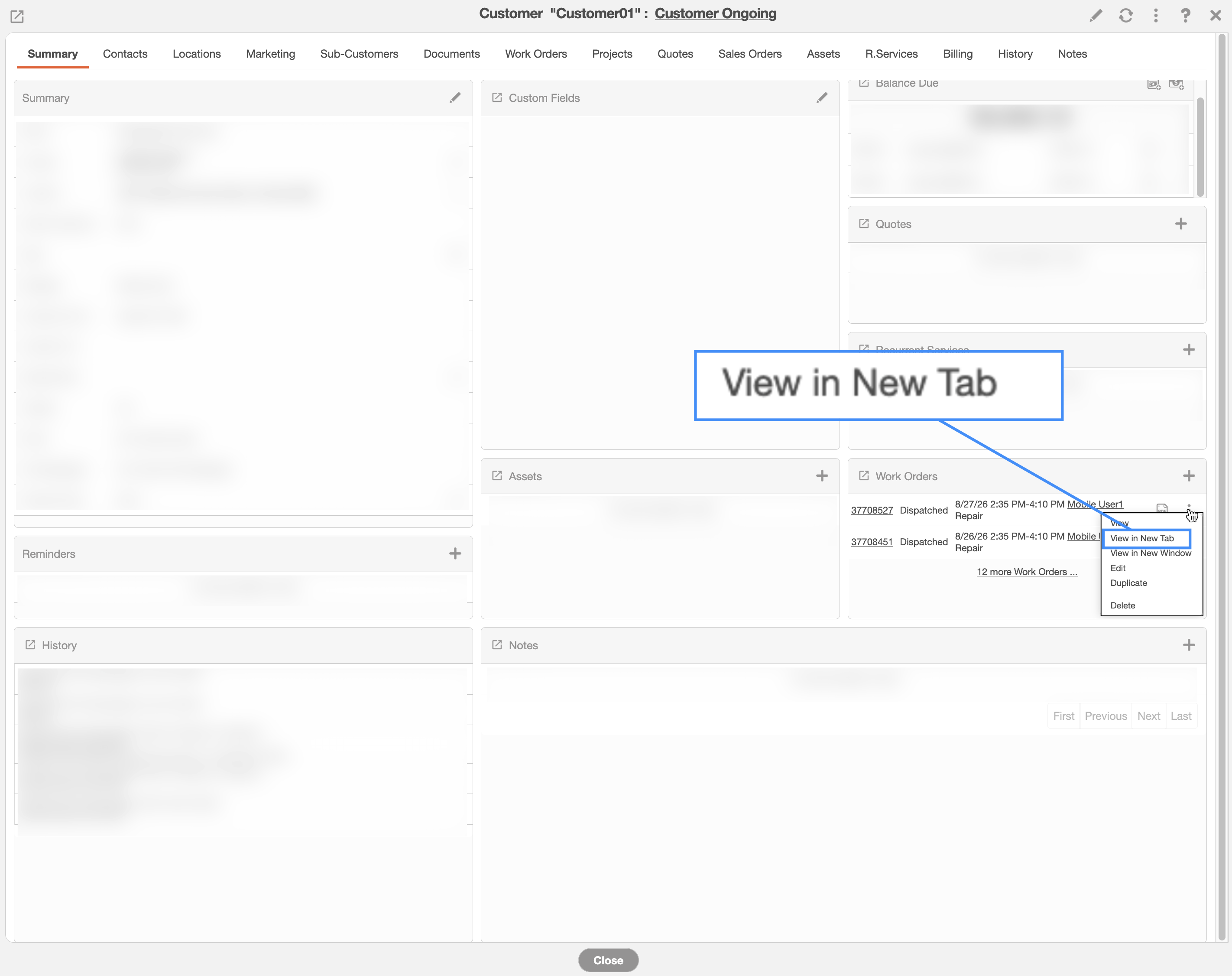
From the entity's View page, select "View in New Tab" to open the record in a separate browser tab. This functionality is especially useful when you need to compare records, reference information from another entity, or work in multiple areas of MobiWork at the same time while keeping the original pop-up window open.