
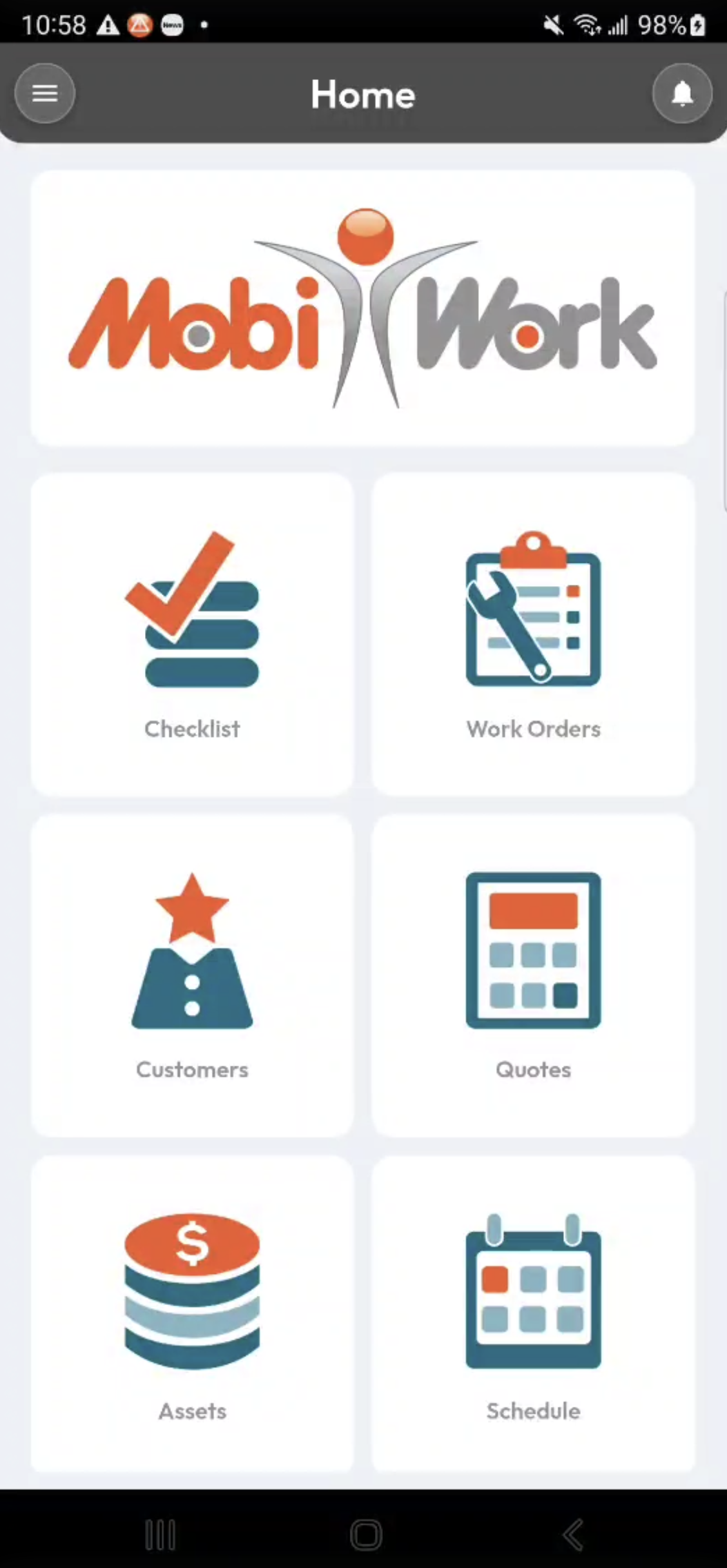
MobiWork’s fresh, modern mobile user interface features a sleek new design while maintaining the intuitive navigation you already know and use. Clicking a tile takes you directly to the corresponding list page, where you can view and manage your customer, work order, and company records. The Work Orders, Customers, Quotes, Assets, and Schedule tiles provide a distinctive visual way to access your most commonly used features:
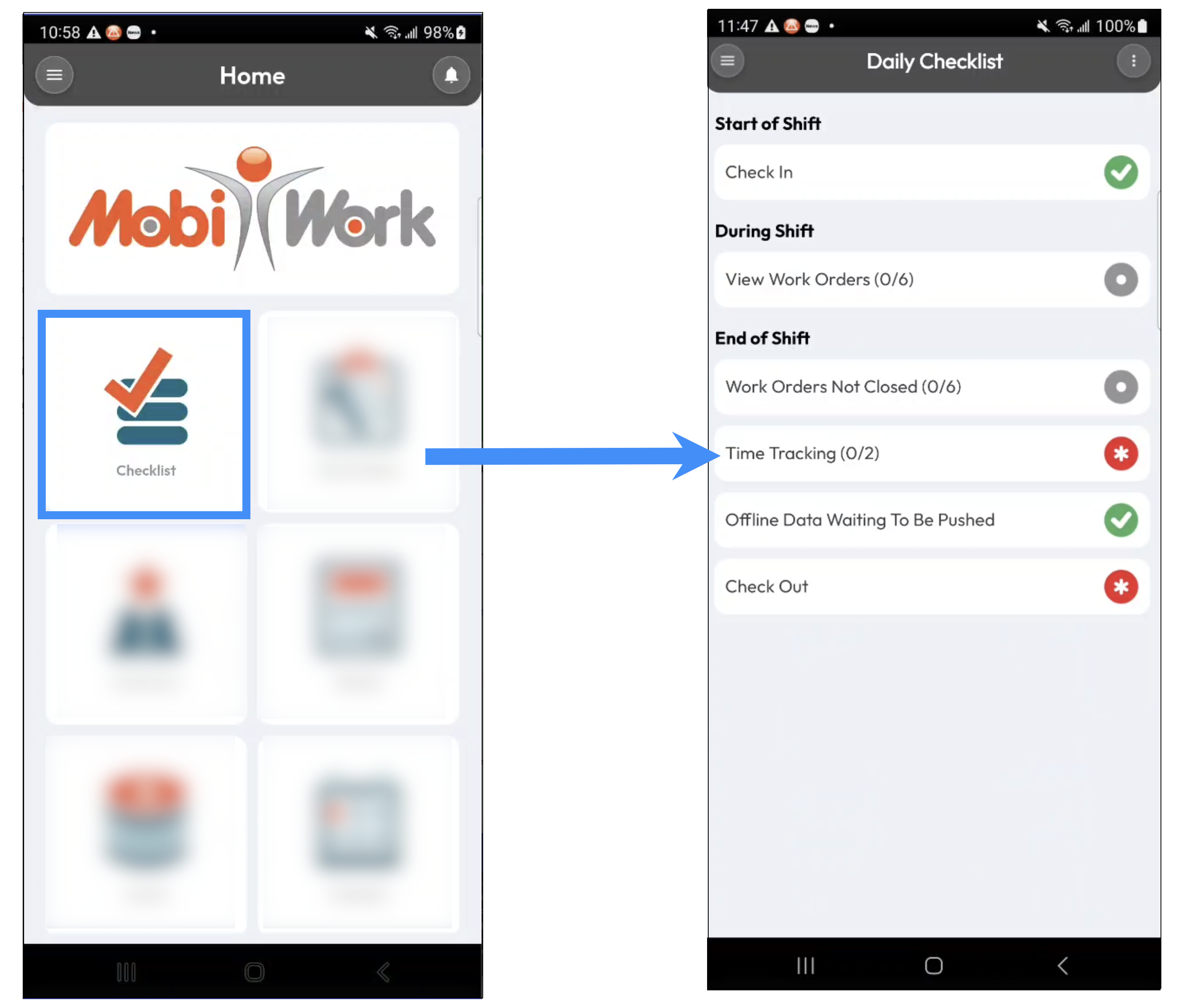
The Checklist tile allows you to quickly check in, view a summary of your work orders, manage your time tracking, and check out at the end of the day:
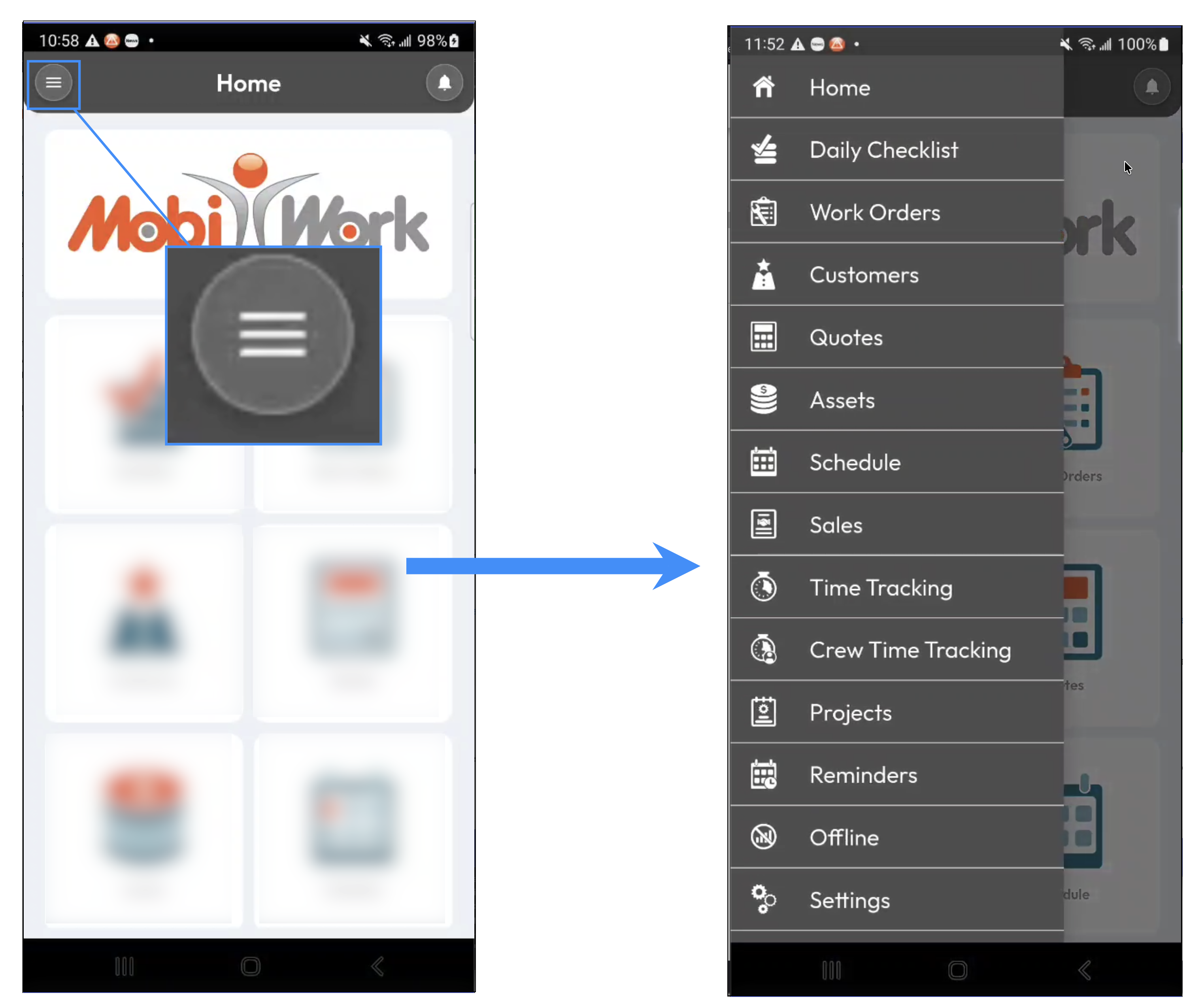
The Side Menu provides access to the other mobile features available on your device that are not displayed directly on the home page:
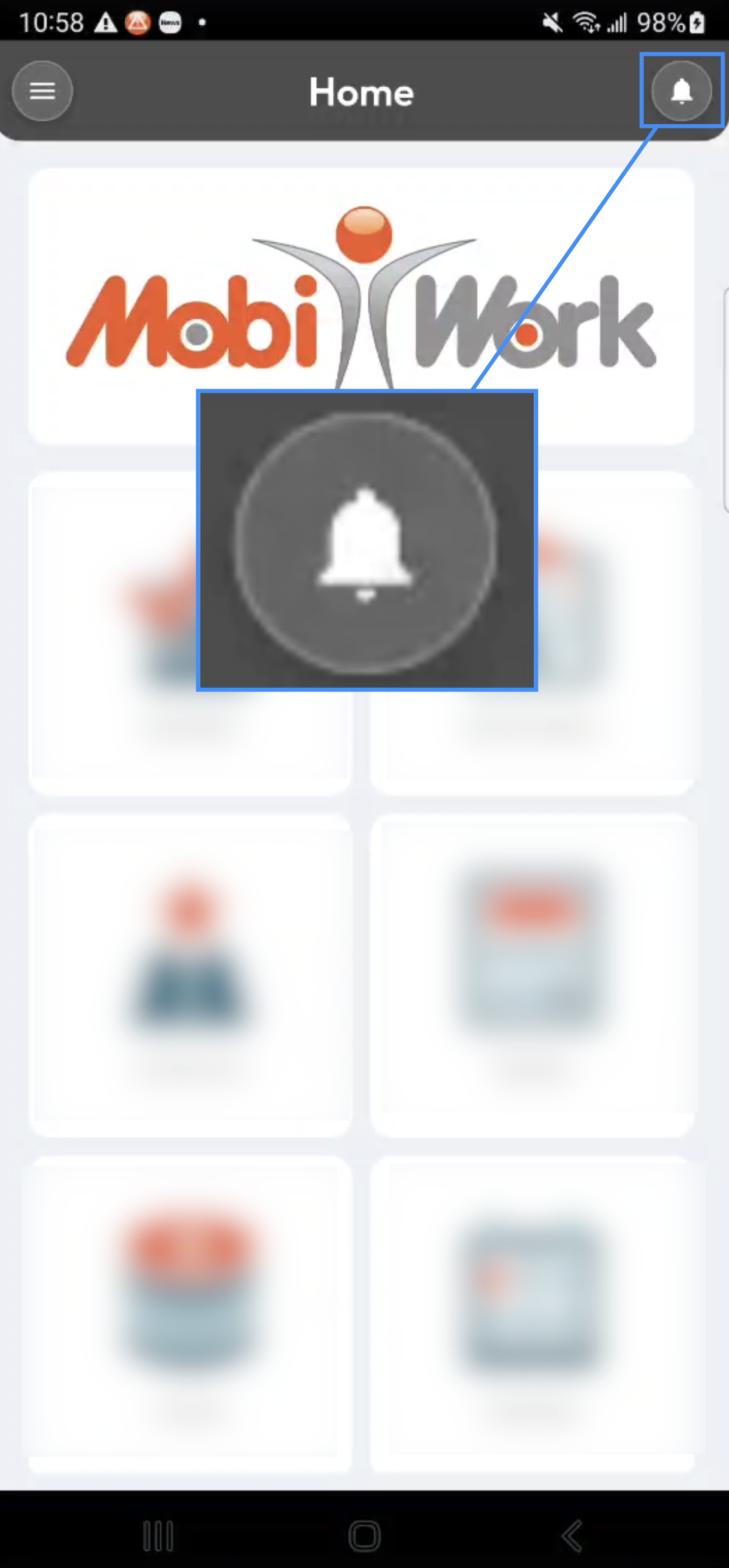
The Reminders button allows you to view your existing reminders and quickly add new ones:
The main tiles on the MobiWork mobile home page provide quick access to the features you use most frequently while working in the field. From these tiles, you can easily access your Work Orders, Customers, Quotes, Assets, and Schedule, giving you a convenient visual overview and allowing you to quickly navigate to the corresponding list pages:
The Reminders tile provides a convenient way to keep track of important follow-ups and tasks. You can review reminders that have already been created for you and add new reminders directly from your mobile device. This helps ensure that important tasks and follow-ups are not forgotten while you are working in the field:
The Side Menu provides access to the additional features available on your mobile device that are not displayed as tiles on the home page. Selecting the Side Menu allows you to navigate through the various MobiWork features and access additional lists, tools, and settings based on your permissions and configuration:
The Side Menu ensures that less frequently used features remain easily accessible without overcrowding the home page, keeping the primary interface clean and focused on the features you use most often.