
You can access the Email Entity Action when you right click on an entity, click on the corresponding individual Actions button, or directly from the view window of the respective entity:
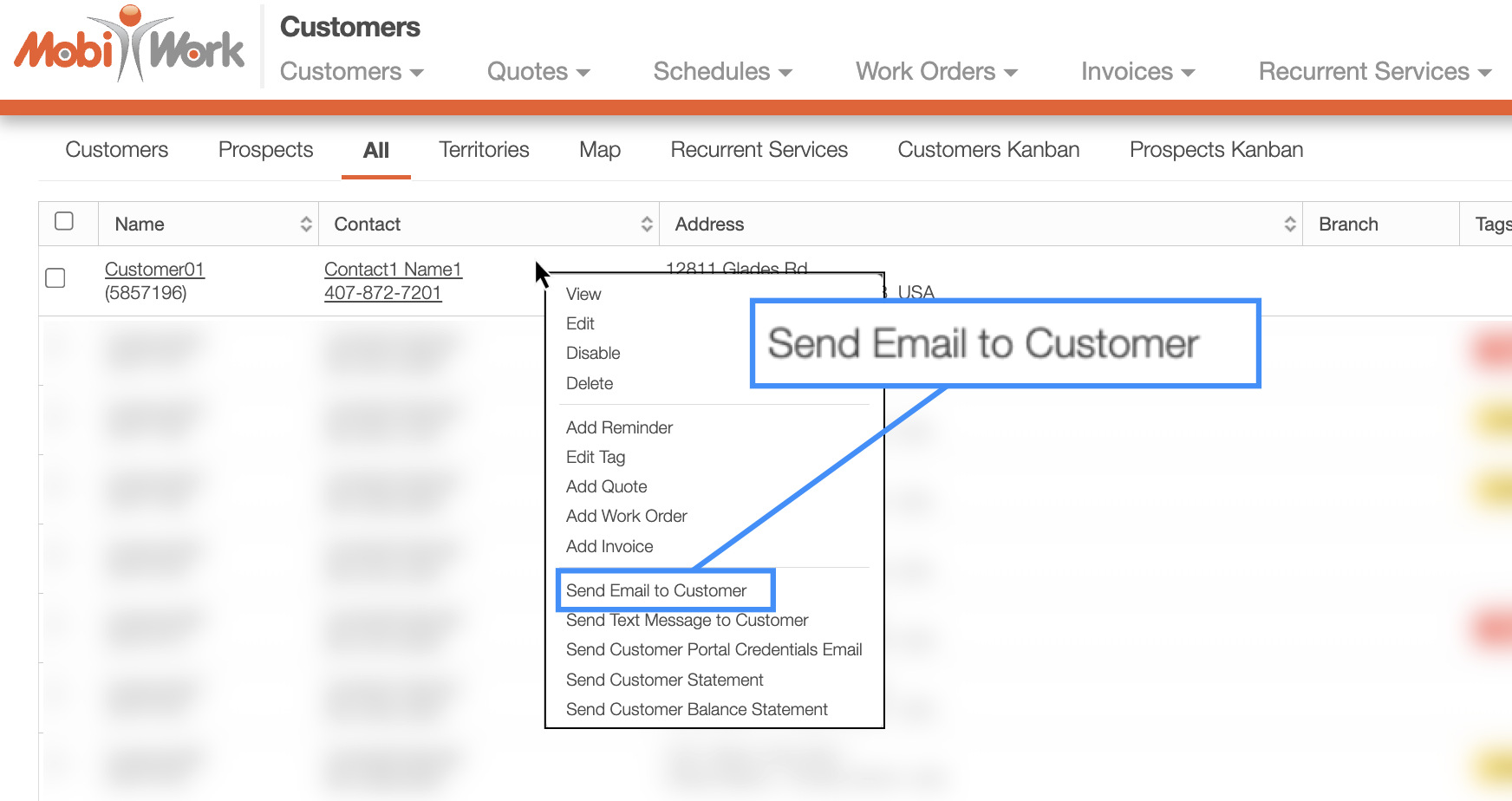
The example above shows the Email Entity Action from the Customer feature when right-clicking on the selected customer.
Once the Send Email pop-up window appears, you will be able to customize the message, edit the email recipient, and modify the subject line. Your company logo, company address, customer-facing email address, and invoice payment link will automatically be included in the email message:
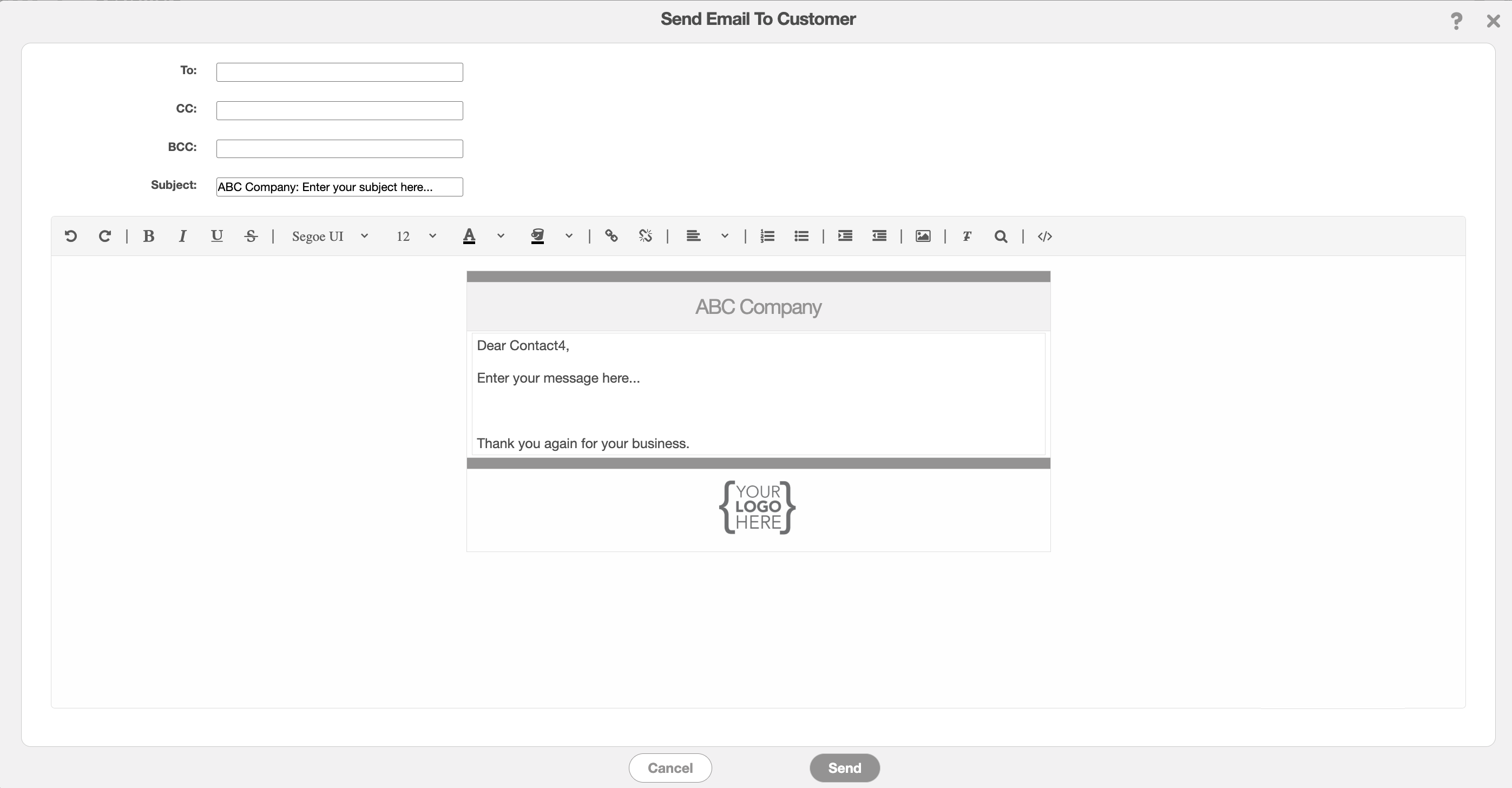
Please note that the name of this action may vary depending on the feature or configuration; however, the Send Email window and functionality will be the same.
If you would like to customize this Email Entity Action further or add it to additional features, please Contact Us for assistance.