
The Entity View page provides a centralized view of an individual entity and its related information. It gives you a quick summary of the selected record while providing access to related features, records, and actions. Although the information and available options vary depending on the entity, the overall layout provides a consistent way to view and manage records throughout MobiWork:
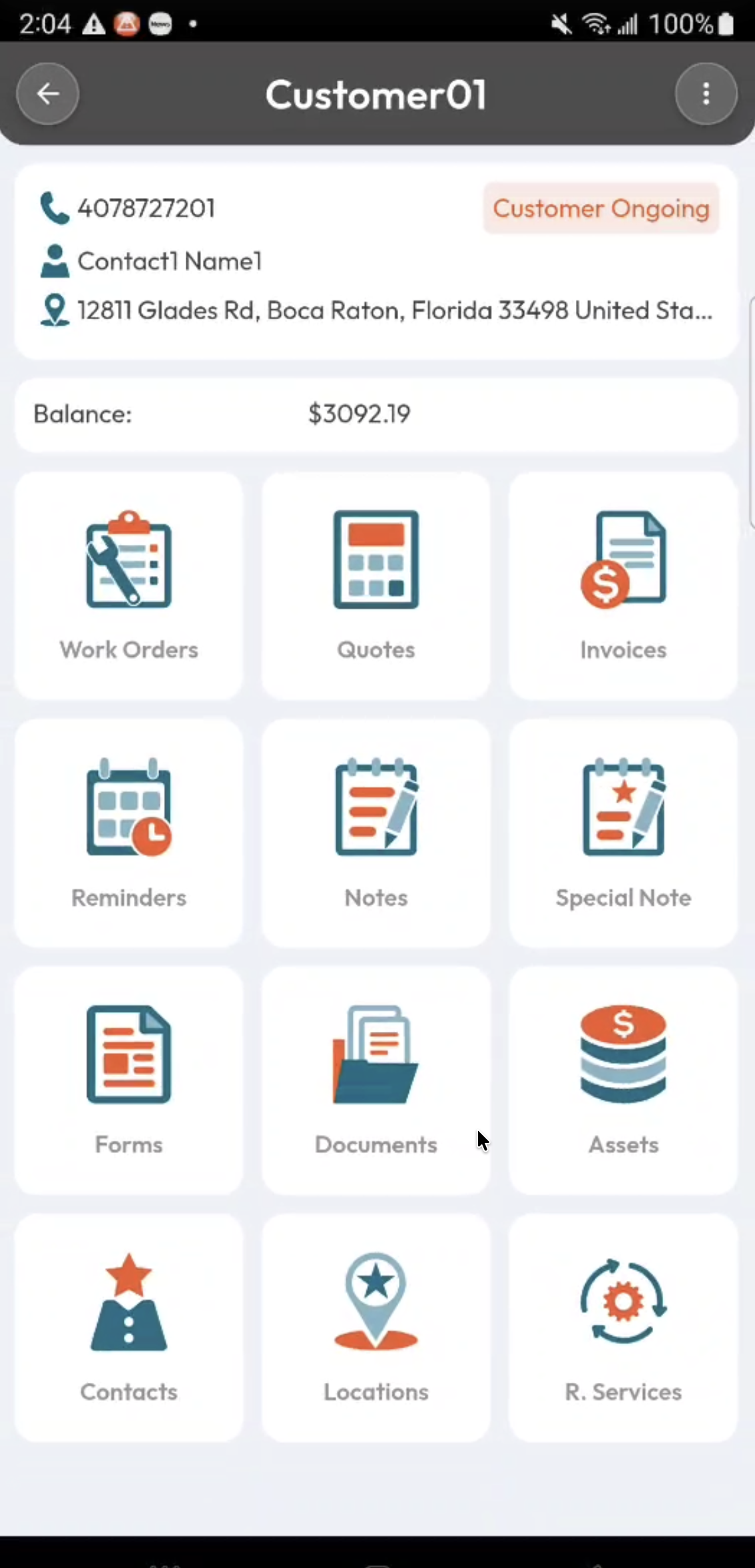
For this example, we’ll use the Customer View page to demonstrate the common features and functionality available on an Entity View page.
Most Entity View pages will have the following features:
Entity Summary
Entity Summary Tiles
Entity Actions Panel
The entity’s primary information and summary are typically displayed at the top of the View. This provides a quick overview of the selected record and allows you to easily identify the entity you are viewing:
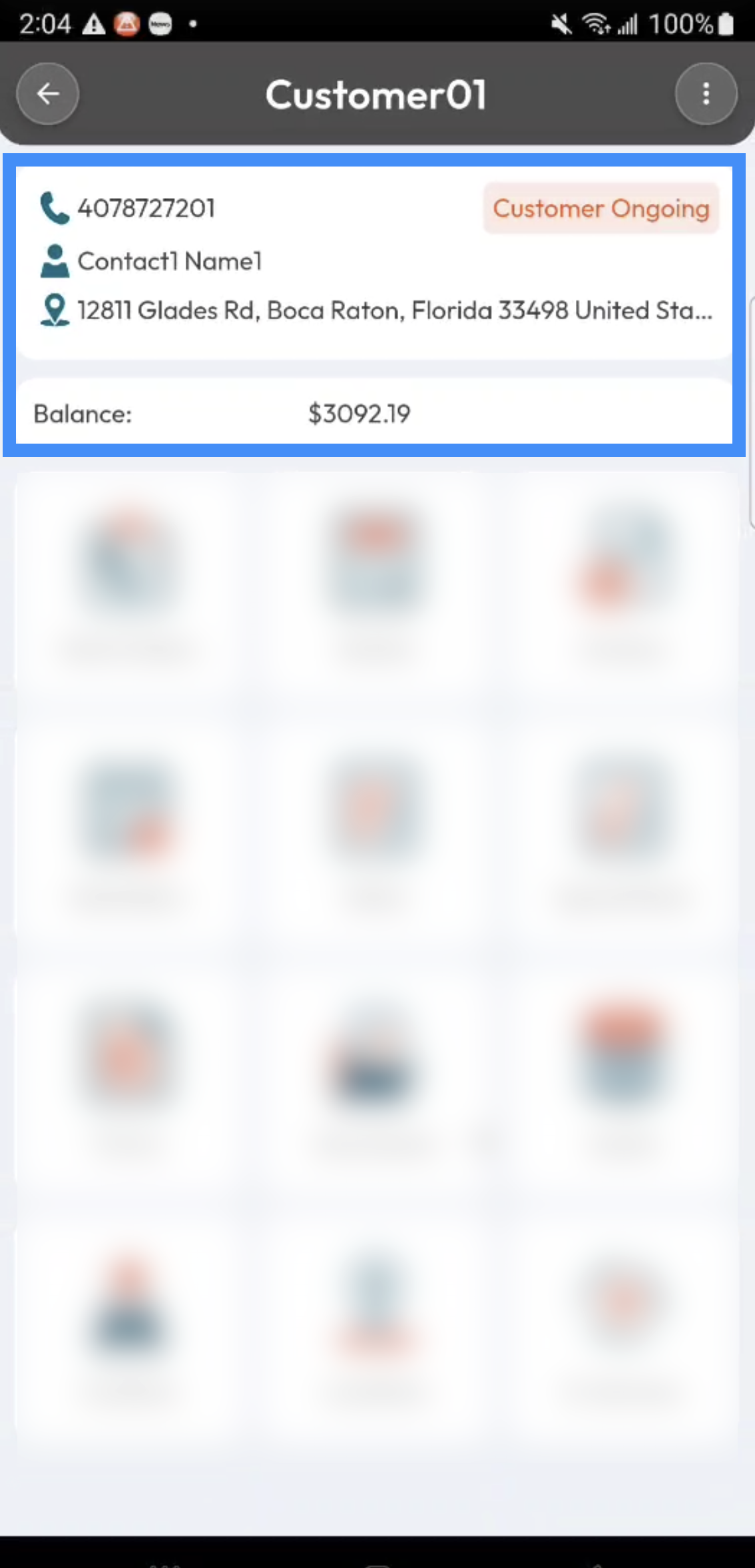
For example, the Customer View page displays key customer information such as the customer name, contact information, location, and other relevant details; any custom tags will also be included. The information displayed in the summary will vary depending on the type of entity you are viewing.
The tiles displayed below the entity summary provide quick access to features and records related to the selected entity:
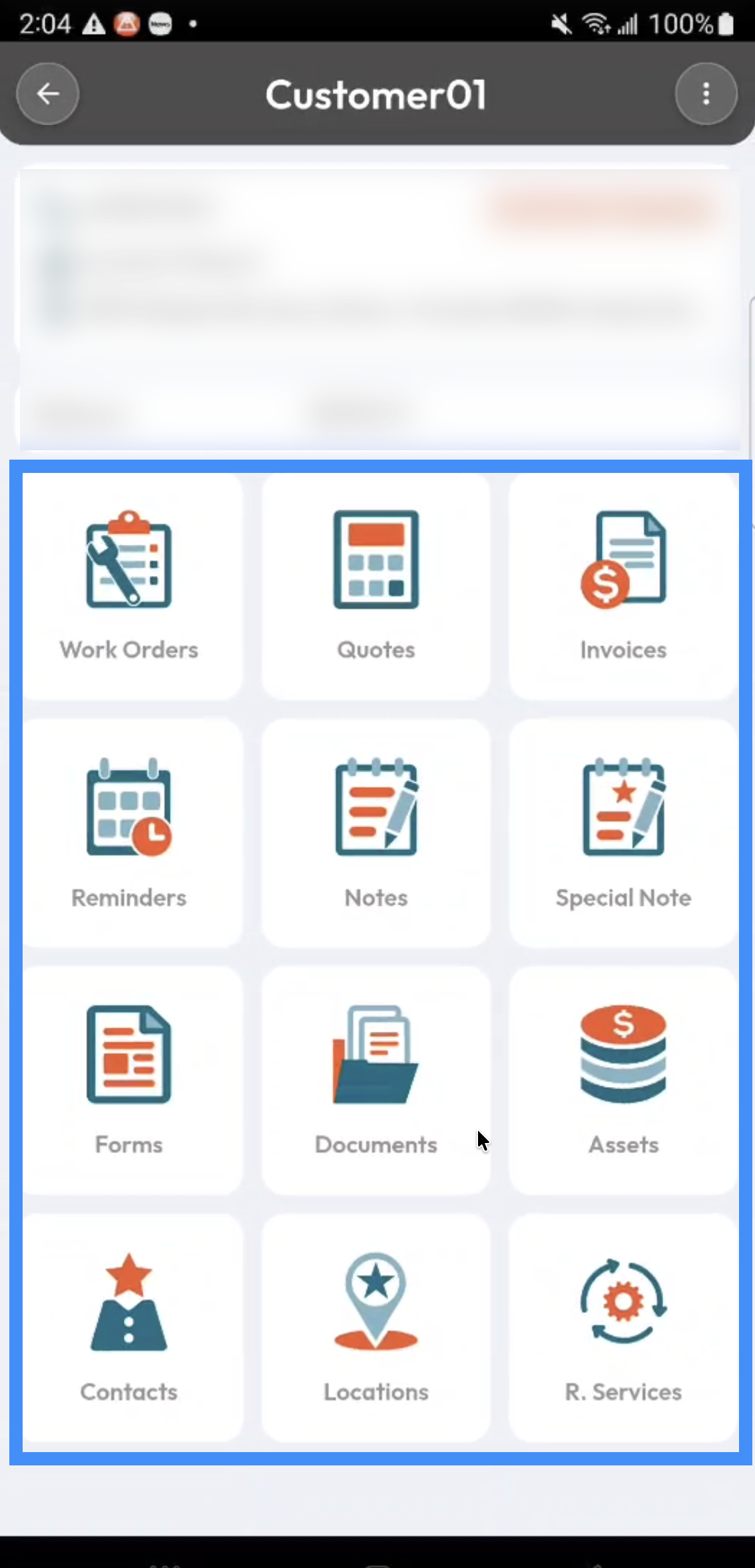
For example, from a Customer View , you may be able to access related Work Orders, Quotes, Invoices, Assets, or other customer-specific information. Selecting a tile takes you to the corresponding list or feature page, allowing you to view and manage the related records.
Instead of displaying summary tiles, the Work Order View page displays action items that guide the user through the tasks that need to be completed.
Like the Entity List page, the Entity View page includes a Actions Panel that provides additional actions you can perform on the selected entity:
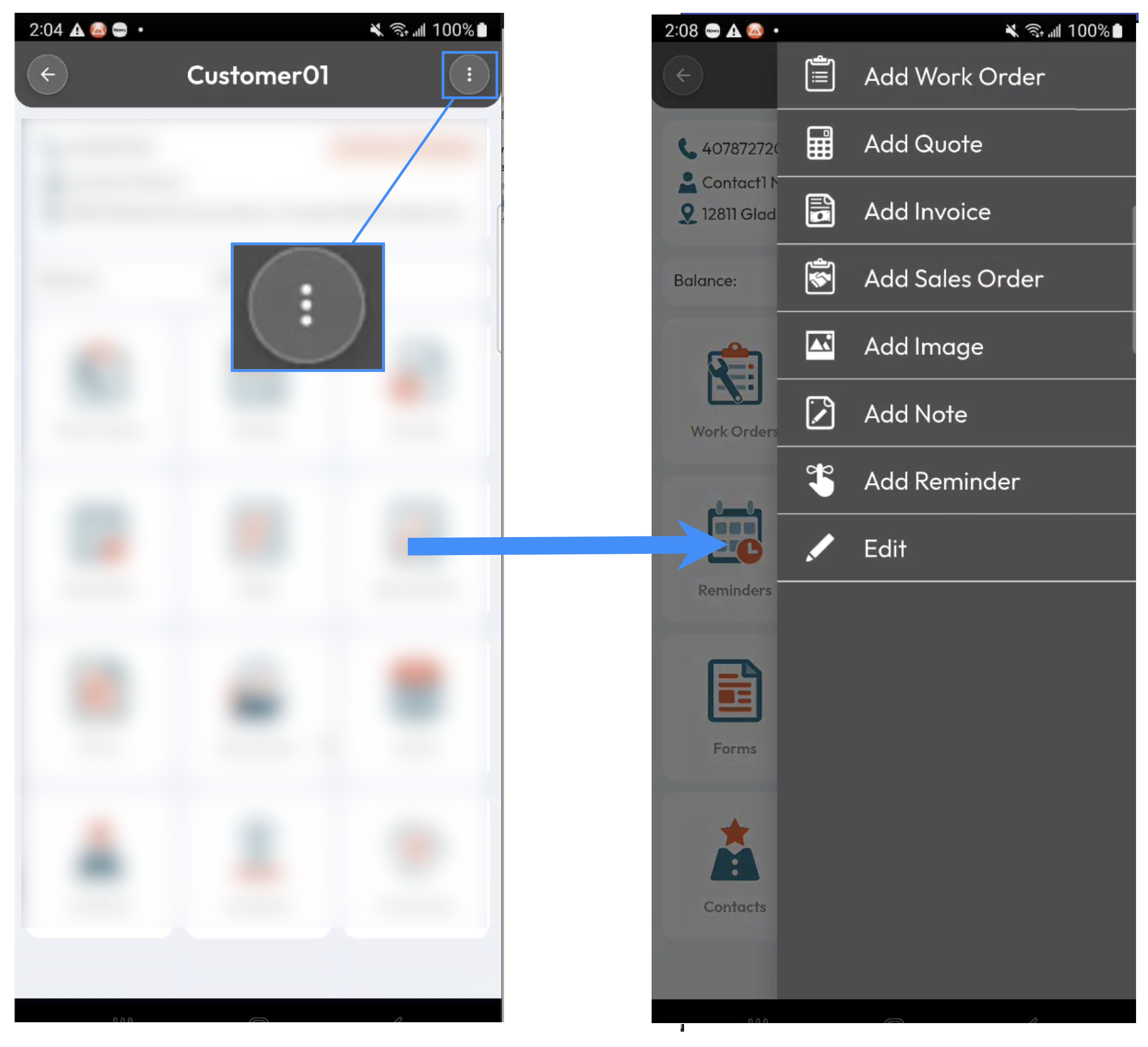
The available actions vary depending on the entity and your permissions. These actions allow you to perform common tasks directly from the View page without having to navigate to another area of MobiWork. For example, from the Customer View page, you may be able to add a qote, edit the customer profile, or perform other customer-related actions.