Processing Refunds
Processing Refunds for a Sales Order
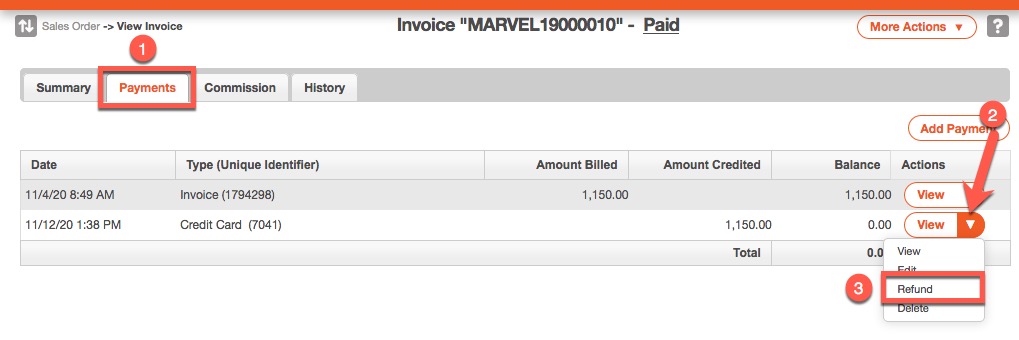
- Navigate to the Invoice to refund.
- On the Invoice page, click the Payments tab.
- Find the transaction to refund, click the drop-down arrow next to View, and click Refund.
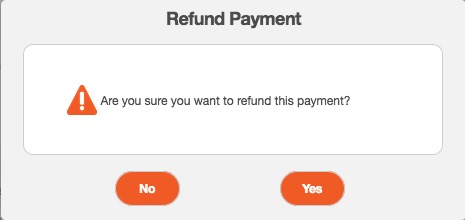
- Click Yes to confirm the refund.
Processing Refunds for an Invoice
- In the Sales Order window, click the Billing tab.
- Click the invoice that was paid or click the View button.
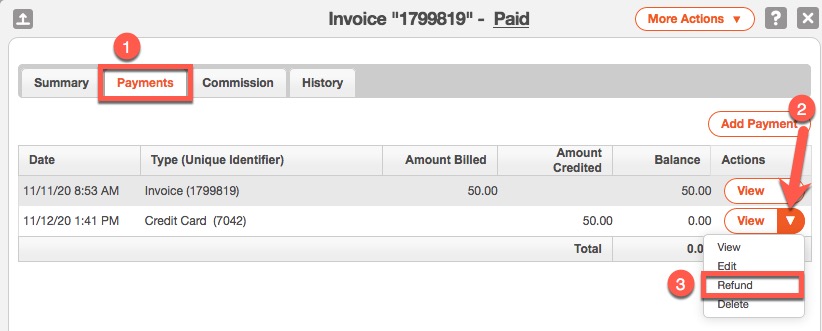
- On the Invoice page, click the Payments tab.
- Find the transaction to refund, click the drop-down arrow next to View, and click Refund.
- Click Yes to confirm the refund.